Our website contains links to partner sites. If you click from our site to the partner's site and purchase their services there, we will receive a commission for mediation (Find out more information). This form of cooperation does not affect the objectivity of our reviews. With each purchase made through links from our site, you support our editorial office so that we can create quality and useful content in the future. Thank you.

Proton Drive review: encrypted cloud storage nobody else can peek into
Contents
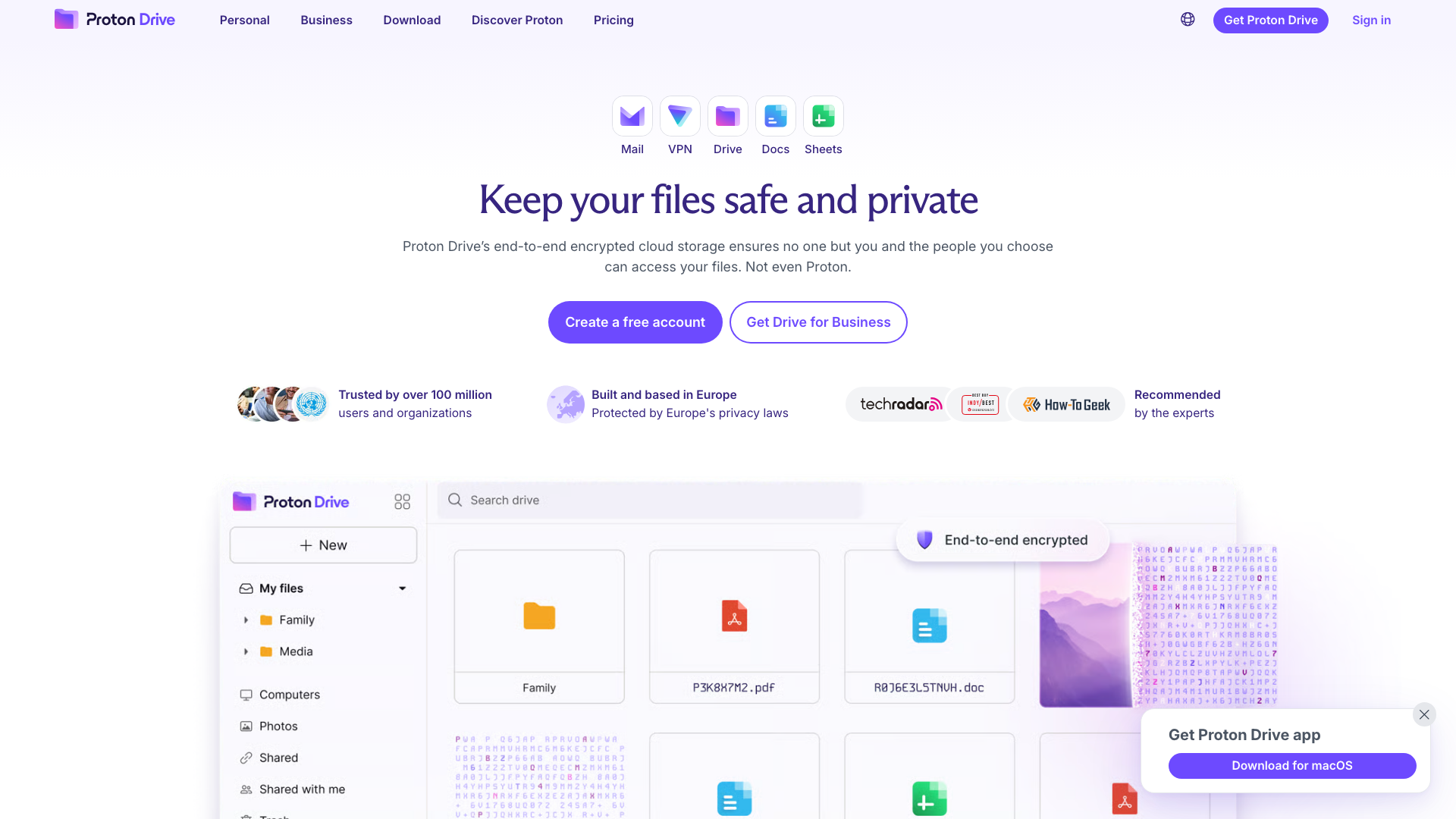
In short: Proton Drive is the cloud storage service from Swiss company Proton (Proton Mail, Proton VPN, Proton Pass). It works much like Google Drive or Dropbox, but it end-to-end encrypts your files and even their names, so not even Proton can access them. You get secure sharing, encrypted Proton Docs and Sheets, and apps for Windows, macOS, Android and iOS. The free plan includes 5 GB; Drive Plus with 200 GB costs €3.99 / $3.99 a month billed yearly.
Holiday photos, scans of ID documents, contracts, invoices, work in progress. Most of us keep important data in the cloud these days, because it’s convenient: your files are available on your phone and your computer, and you don’t lose them when a hard drive dies. Far fewer people ask who else can get to those files. With mainstream cloud services, the provider is technically able to read your content, because it holds the encryption keys.
Proton Drive is built differently. Files are encrypted on your own device and leave it as unreadable data. Only you hold the key. That’s the main reason to look at it if you’re choosing cloud storage and privacy matters to you. The open question is whether all that encryption comes at the cost of convenience.
I went through Proton Drive the way a new user would: I uploaded demo folders with photos and PDF documents, browsed previews, shared files, wrote a document in Proton Docs, deleted files and restored them from the trash, checked the file details, and went through the apps and the pricing. Here is what I found.
Video review
Prefer watching? The video below walks through the same features in about two and a half minutes.
Who is behind Proton Drive
Proton is a Swiss company founded in 2014 by scientists who met at CERN. It became known for Proton Mail, its encrypted email service, and has gradually grown into a full privacy suite: Proton VPN, Proton Calendar, the Proton Pass password manager and Proton Drive cloud storage. According to Proton, more than 100 million people and organisations trust its services.
Since 2024, Proton’s majority shareholder has been the non-profit Proton Foundation. In practice this means the company cannot simply be sold to an investor who would like to start monetising user data. For a service you trust with personal documents and photos, that is not a minor detail.
Proton Drive didn’t appear overnight. A beta ran from November 2020, first for paying customers and later for free users too. Drive launched to the public as a web app in September 2022, and Android and iOS apps followed in December 2022. 2023 brought version history, the Windows and macOS apps and photo backup. In February 2024 Proton raised free storage from 1 GB to 5 GB, in July 2024 it added the Proton Docs editor, and in December 2025 Proton Sheets spreadsheets.
Files, folders and photos
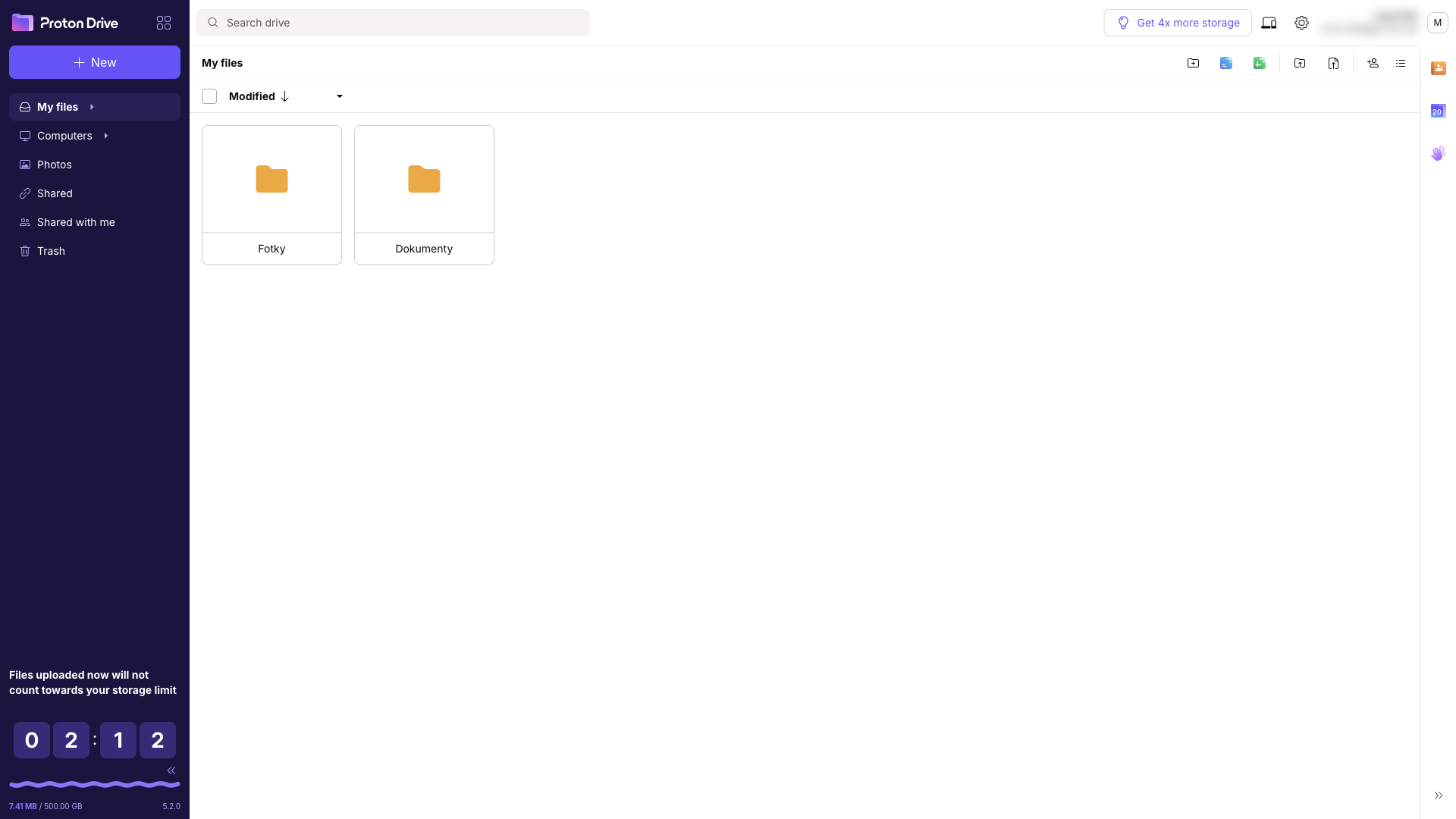
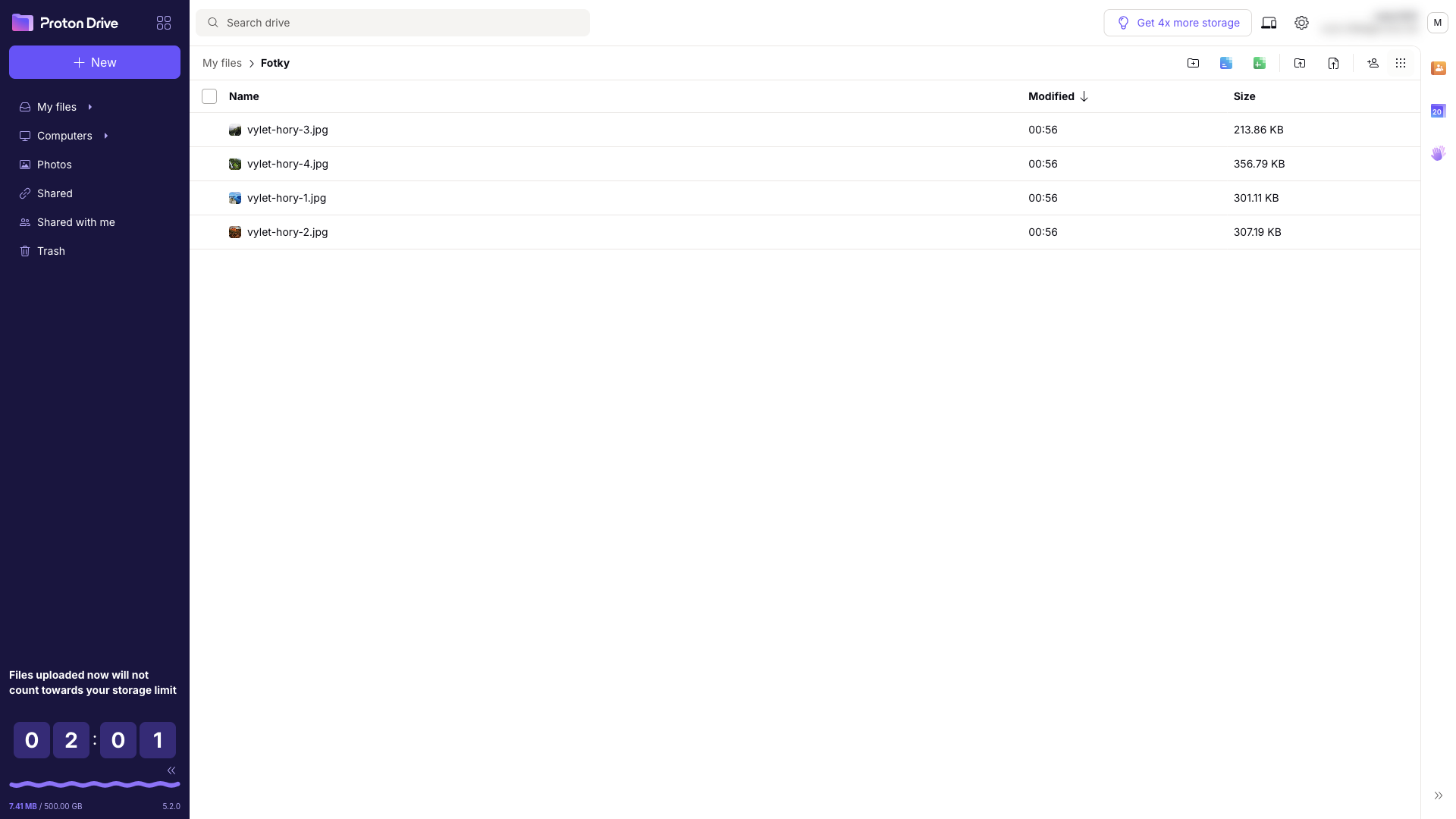
Once you sign in, Proton Drive looks like any other cloud storage. The menu on the left has My files, Computers (folders synced from the desktop app), Photos, Shared and Trash, and your folders sit in the middle. You upload files and whole folders by dragging them in from your computer or with the New button. Besides the list view there’s a grid view with thumbnails, so photos can be browsed like a gallery.
Deleted files go to the trash, and one click brings them back. In my test this worked without a hitch, and the restored file returned to its original location. The bottom-left corner shows how much of your storage you’re using.
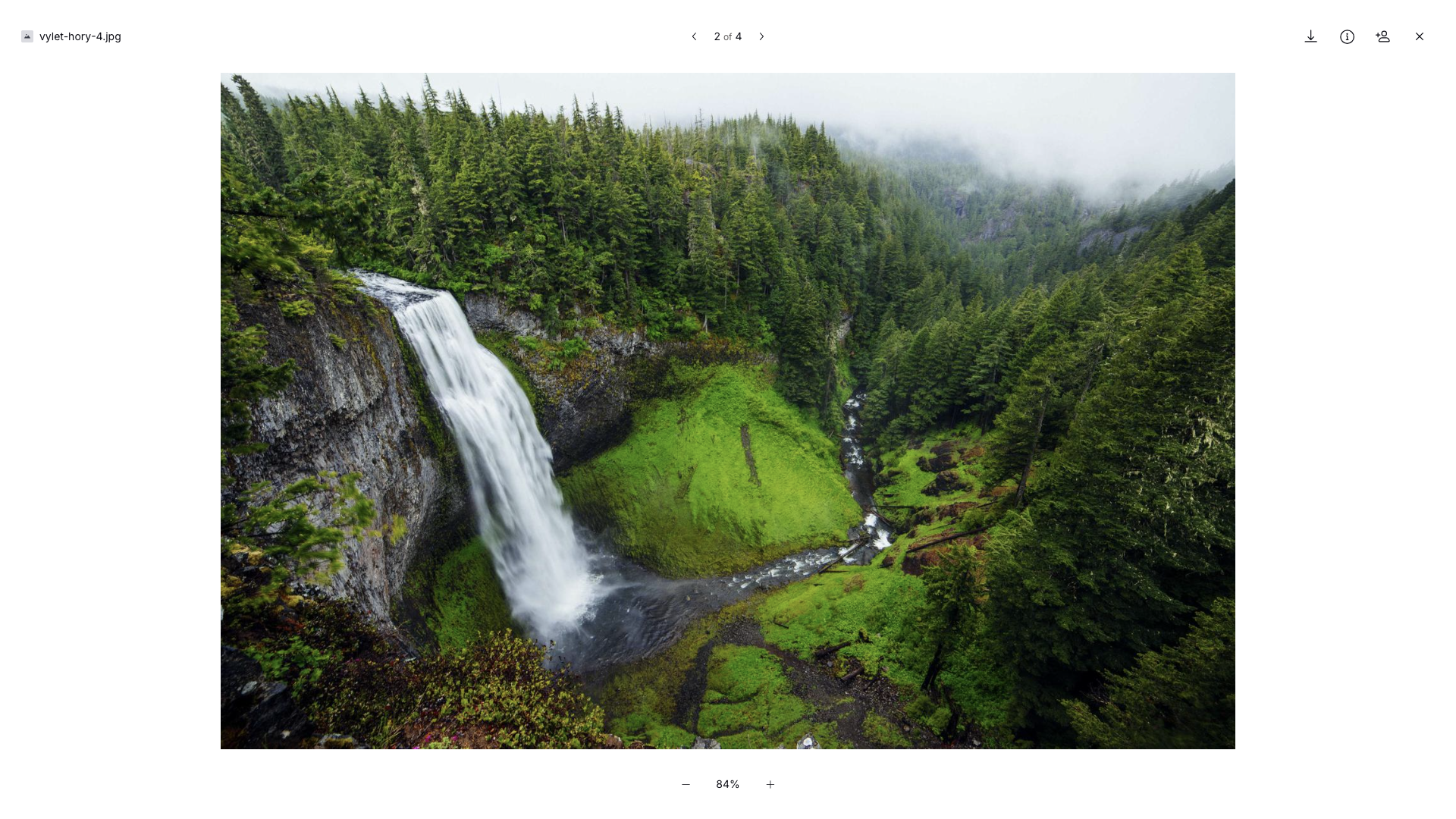
Images, PDFs and documents open right in the browser without downloading. The preview is decrypted locally in your browser, you can move between the files in a folder with the arrow keys, and you can zoom into a photo. In 2025 Proton also added streaming playback of large videos, again without downloading them first.
Photos get their own section. The Android and iOS apps can back up your phone’s photos automatically, encrypting them on the device before upload. In spring 2025 Proton added albums, which you can share with family or friends, and they can add their own photos to them.
Secure sharing
Sharing is where cloud storage most often goes wrong. You email a link, it gets forwarded, and two years later anyone who has the link can still open your contract. Proton Drive is designed with that in mind.
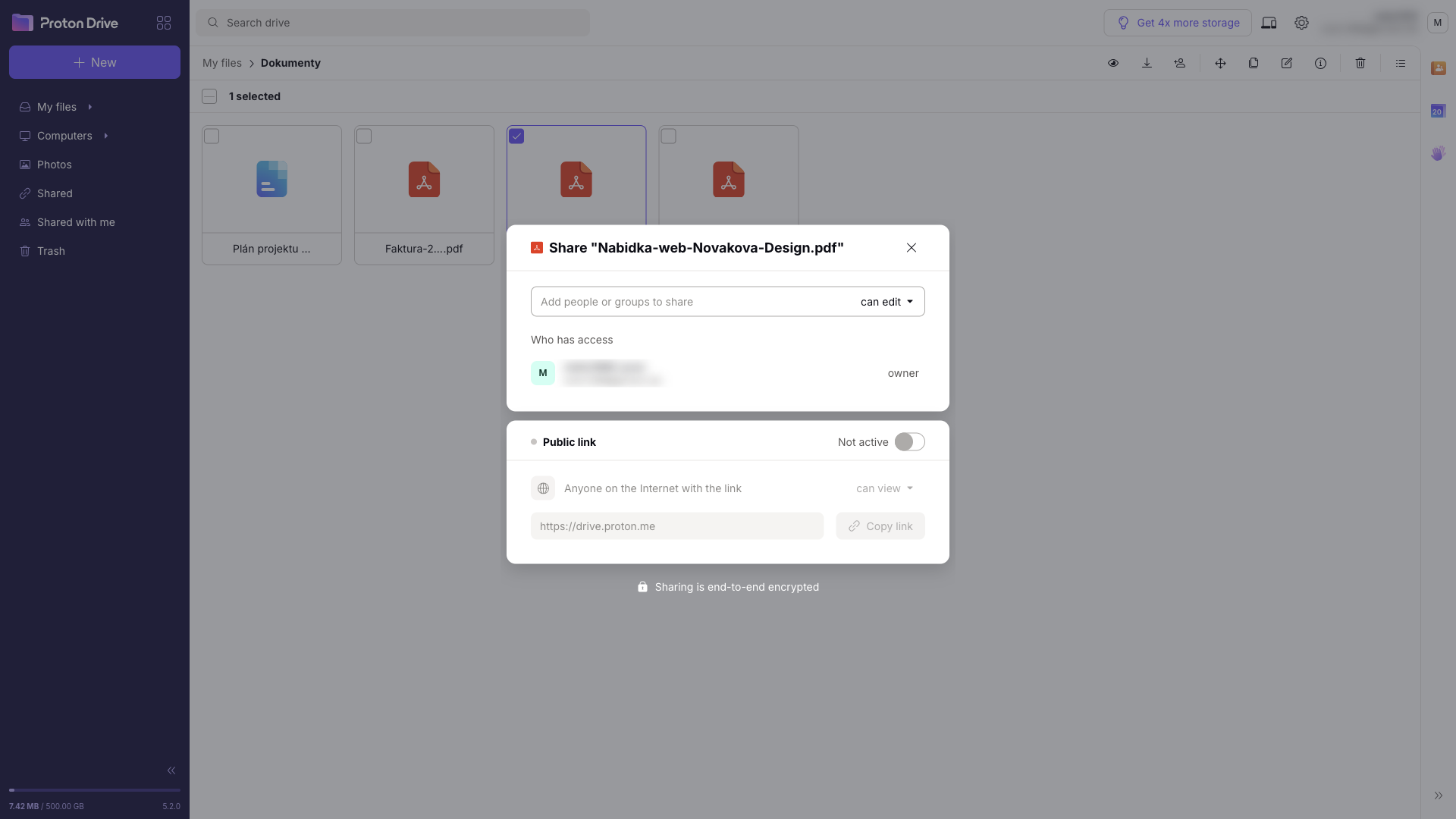
You can share a file or folder with specific people as viewers or editors. The other option is a public link, which you can protect with a password and an expiration date. Once the expiration date passes, the link stops working. When you stop sharing, everyone using the link loses access immediately. Send the link password to the recipient separately, ideally through a different channel than the link itself.
Sharing stays end-to-end encrypted, as the note under the sharing dialog reminds you. A recipient with a public link doesn’t need a Proton account and can open the file in a browser. On the free plan you can create at most three links with editing rights, and sharing files larger than 5 GB requires a paid plan.
Proton Docs and Sheets
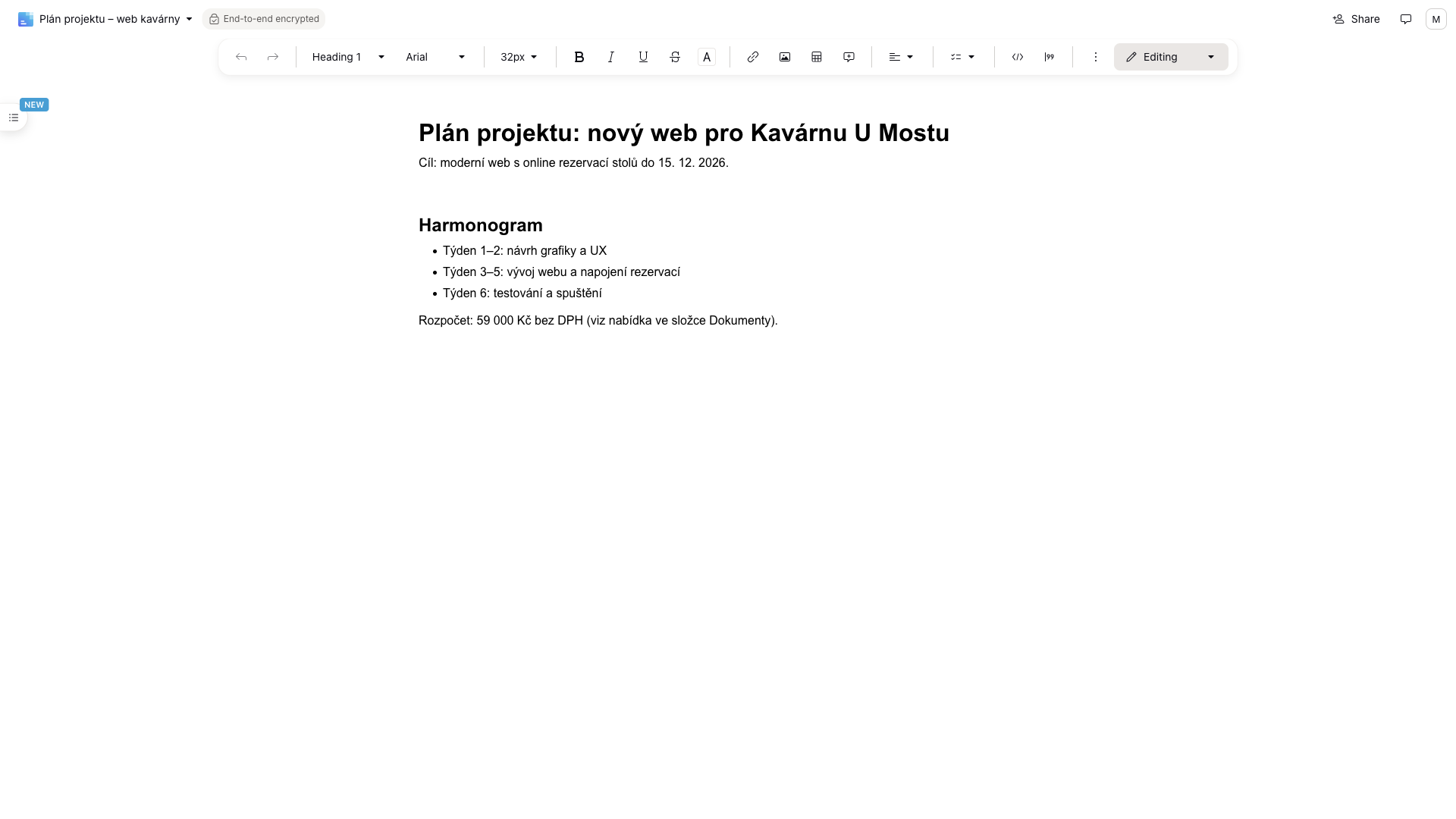
Drive includes an encrypted editor for documents and spreadsheets. You create a new document or spreadsheet straight from a folder in Drive, and it’s saved next to your other files. In Proton Docs you write and format text, insert images, tables and links, add comments and work on the same document with other people in real time.
For the test I wrote a short project plan with headings, bullet points and a budget. It works much like Google Docs, so anyone who has ever written something in a browser will find their way around. Proton stresses that it doesn’t use the content of your documents to train AI or for advertising.
Proton Sheets is a spreadsheet editor with formulas and charts. It can import CSV and XLS files, so you can bring your existing spreadsheets over. Both Docs and Sheets are available on the free plan too. If you’re looking to replace your office suite, we compare more options in what software can replace MS Office.
Encryption and version history
Security is Proton’s core business. Proton Drive uses end-to-end encryption based on the OpenPGP standard and elliptic-curve cryptography (Curve25519). Both files and their names are encrypted on your device before upload, so Proton can see neither what you store nor what your files are called.
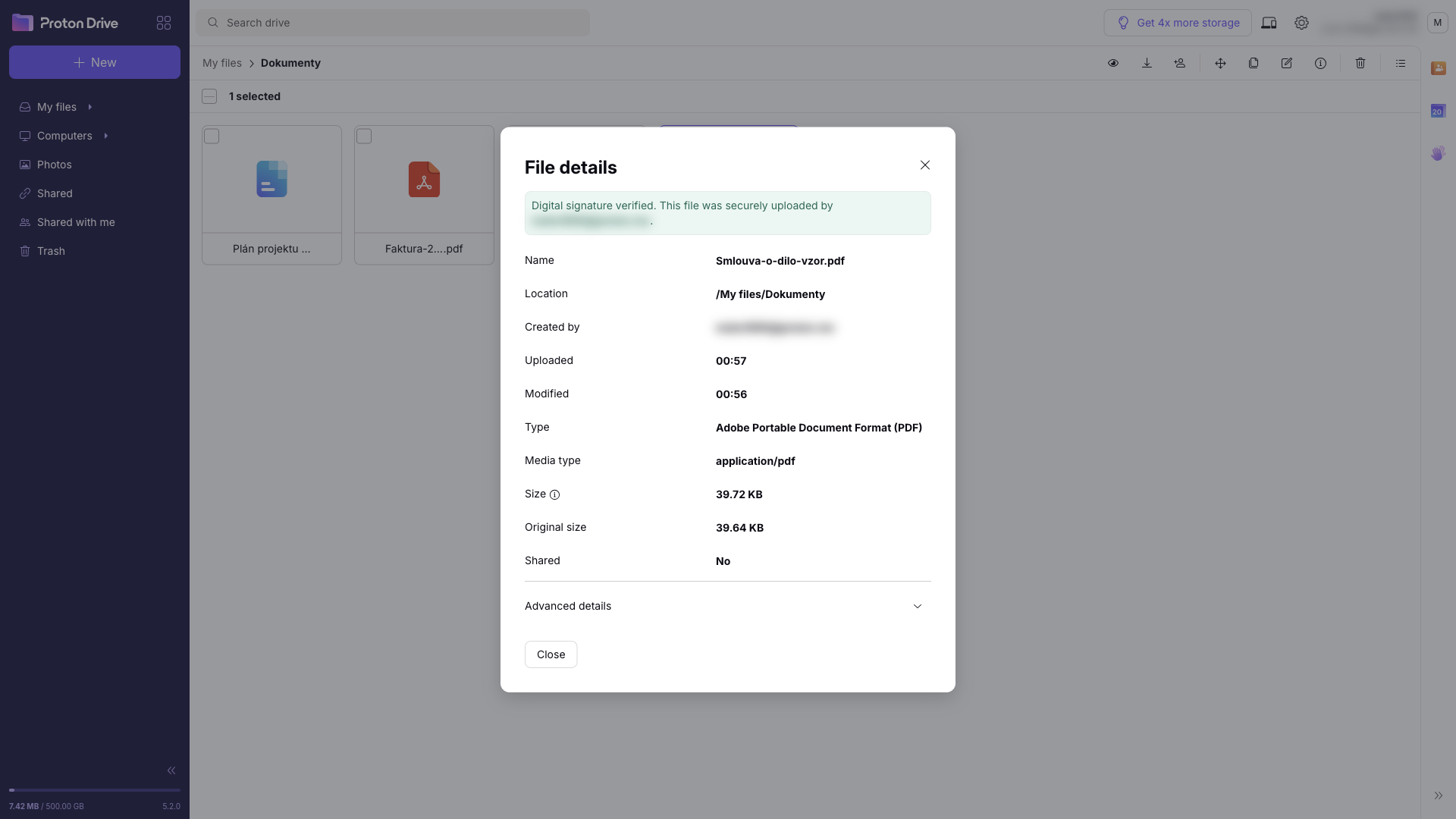
Every file and folder is also digitally signed. Large files are split into 4 MB blocks and each block is signed, so nobody can quietly swap, remove or reorder content. You can see this right in the file details: a green box confirms that the digital signature is verified and that the file was uploaded by your account.
Proton’s apps and cryptographic libraries are open source. The Drive web app (in 2021) and the mobile apps (in 2022) were audited by the independent Polish security firm Securitum. Proton published the audit results together with the source code of the mobile apps in March 2023.
Version history is a genuinely useful extra. If you overwrite a file with the wrong version or it gets corrupted, you can roll back to an earlier one. On the free plan Proton Drive keeps up to 10 versions of each file for 7 days. Paid plans keep up to 200 versions for up to 10 years, and you choose the retention period yourself.
Apps and sync
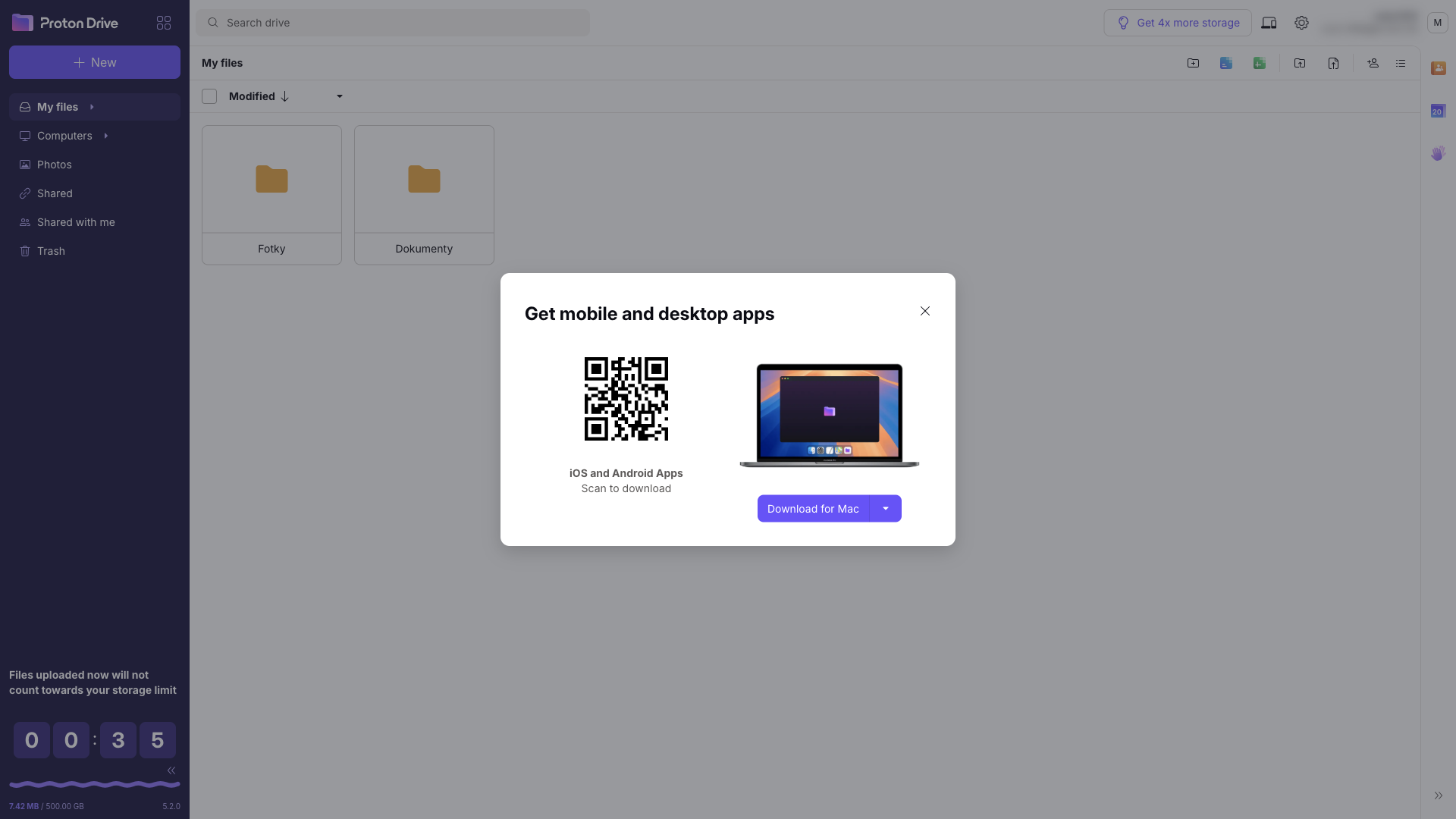
Proton Drive has apps for Windows and macOS that sync chosen folders on your computer with the cloud. Synced computers then show up in the Computers section of the web app. The Android and iOS apps let you browse your files and back up photos, and on iOS you can also scan paper documents into an encrypted PDF. Besides Google Play, the Android app is available as an APK file straight from Proton.
The web app works on every platform in the browser. For power users and automation there’s a command-line interface (CLI) for Windows, macOS and Linux. Proton Drive doesn’t have a graphical Linux app yet, though; Proton is still working on one.
Pricing
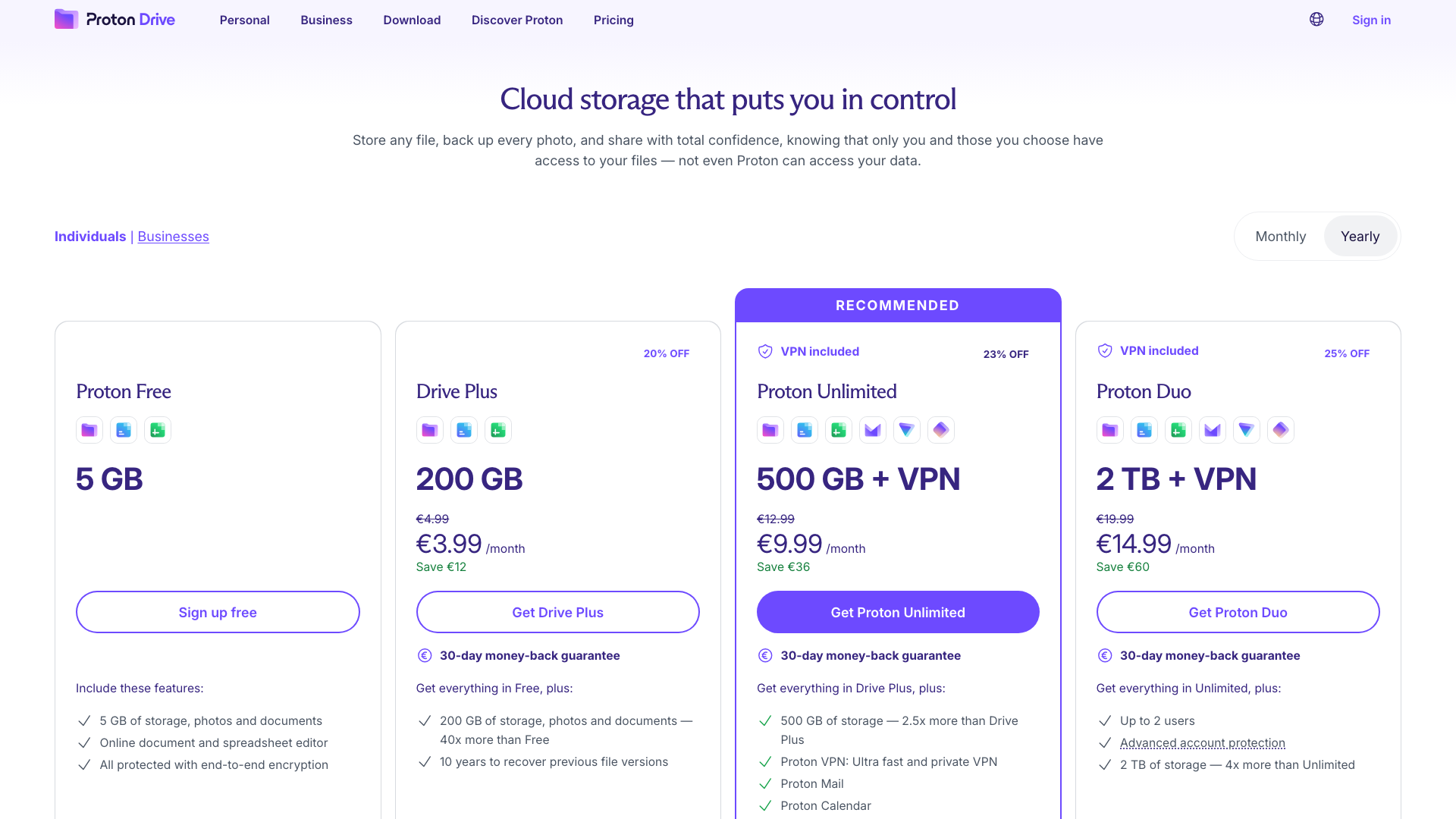
Proton Drive has a usable free plan and several paid options. Prices with annual billing as of 20 October 2026 (EUR and USD use the same numbers):
| Plan | Price | What you get |
|---|---|---|
| Proton Free | free | 5 GB, Proton Docs and Sheets, end-to-end encryption |
| Drive Plus | 3.99 / month | 200 GB, up to 10 years of version history |
| Proton Unlimited | 9.99 / month | 500 GB + Proton Mail, Calendar, VPN and Pass |
| Proton Duo | 14.99 / month | 2 TB for 2 users, everything in Unlimited |
With monthly billing, Drive Plus costs 4.99, Unlimited 12.99 and Duo 19.99 a month. Billed yearly, that comes to 47.88 a year for Drive Plus, 119.88 for Unlimited and 179.88 for Duo. For households there’s also Proton Family with 3 TB for up to 6 users. Paid plans come with a 30-day money-back guarantee.
Which plan makes sense? The free plan is enough for documents, Docs and occasional sharing. Drive Plus is for anyone who wants to back up phone photos to the cloud, because 5 GB fills up fast. Proton Unlimited pays off if you want encrypted email, a VPN and a password manager alongside your storage, since those services would cost more separately. Proton Duo is for couples who want to share a large amount of storage.
Who is Proton Drive for
- Privacy-minded people who don’t want their cloud provider to be able to read their documents and photos.
- Anyone who shares sensitive files, such as contracts, invoices or ID documents, and wants links with a password and an expiration date.
- Existing Proton users, because Drive uses the same account and is included in Proton Unlimited.
- Families and couples who want shared storage for their photos (Duo, Family).
If what you need most is the largest amount of storage for the lowest price, or full compatibility with Microsoft Office, look at the other services in our best cloud storage roundup. One worth mentioning is Swiss-based pCloud, which also sells lifetime plans.
What we like
- ✅ End-to-end encryption of files and file names
- ✅ Links with a password and expiration date, viewer or editor sharing
- ✅ Encrypted Proton Docs and Sheets, even on the free plan
- ✅ Photo and PDF previews in the browser, photo backup from your phone
- ✅ Up to 10 years of version history on paid plans
- ✅ Open-source apps, independent audits and a company owned by a non-profit foundation
Things to consider
- 5 GB free is less than Google’s 15 GB.
- On the free plan, version history lasts only 7 days and you get at most three links with editing rights.
- Linux only has the command-line tool so far; there’s no graphical app.
- Docs and Sheets can’t yet do everything Google Docs or Microsoft Office can.
- The best prices require annual billing.
Verdict
Proton Drive is an excellent choice for anyone who wants cloud storage they can actually trust. It encrypts files and their names, sharing with a password and expiration date is simple, and with Proton Docs and Sheets you don’t have to move your documents to Google just to edit them. The web app is clear, and previews are quick despite the encryption.
There are two main trade-offs: less free storage and no Linux desktop app. If you just want to try a private cloud, start with the free plan. If you want to back up your photos, plan on Drive Plus. And if you already use Proton Pass or Proton VPN, Proton Unlimited gives you everything under one account.