Our website contains links to partner sites. If you click from our site to the partner's site and purchase their services there, we will receive a commission for mediation (Find out more information). This form of cooperation does not affect the objectivity of our reviews. With each purchase made through links from our site, you support our editorial office so that we can create quality and useful content in the future. Thank you.

Proton Pass review: a Swiss password manager that also hides your email address
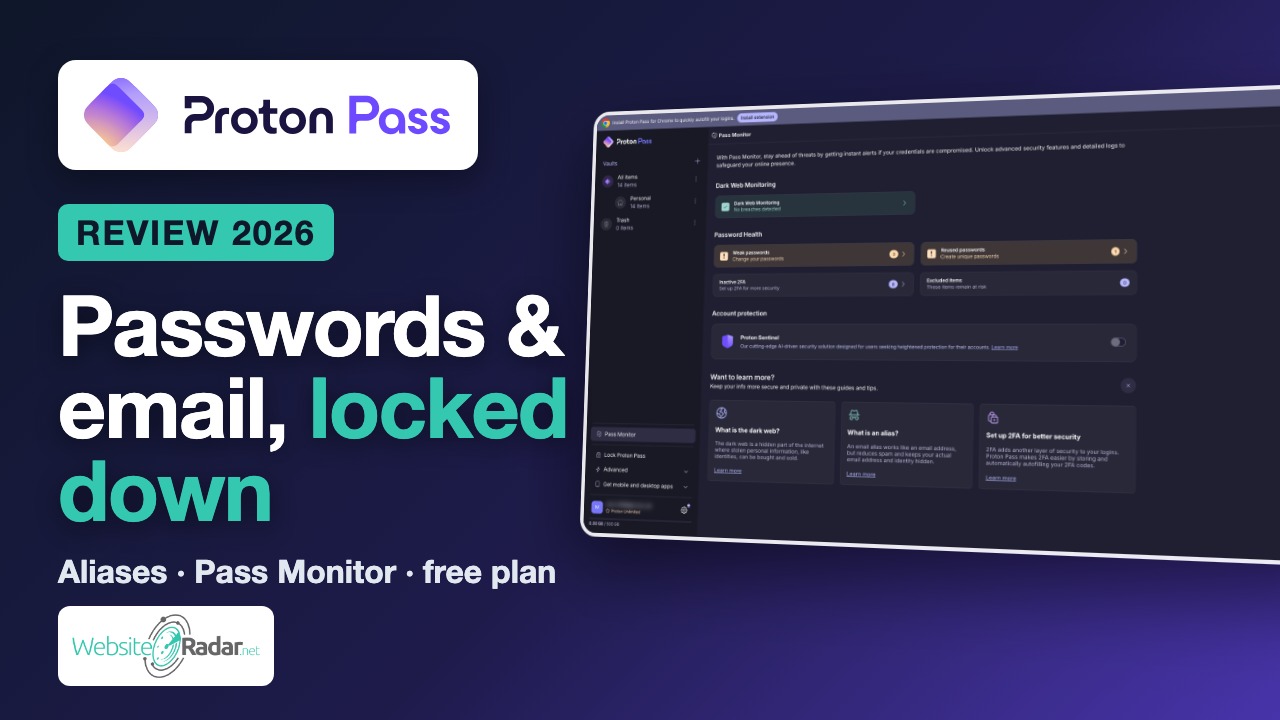
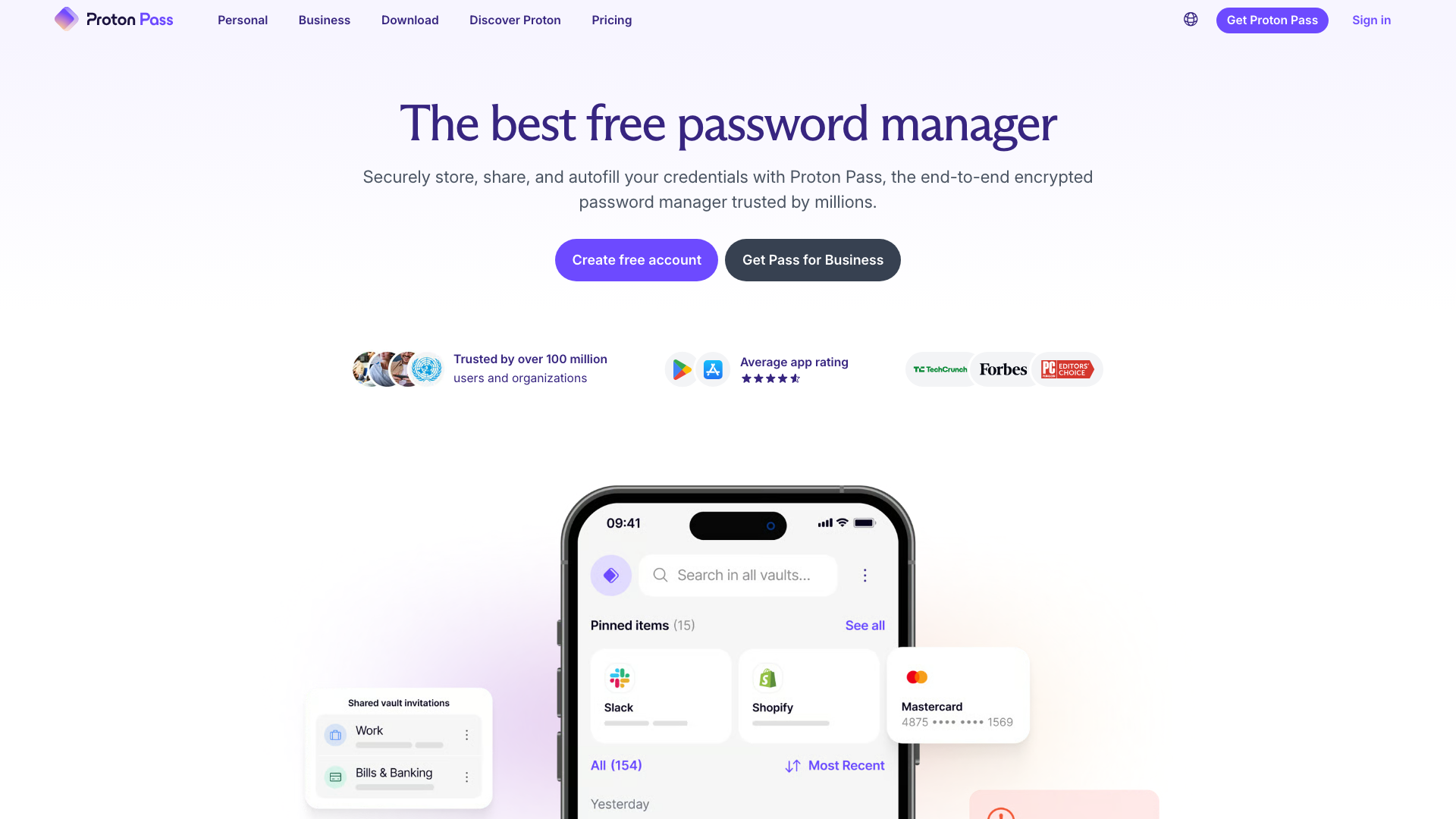
In short: Proton Pass is a password manager from Swiss company Proton (Proton Mail, Proton VPN). It stores passwords, notes, cards and identities with end-to-end encryption, and it can create email aliases, so shops and newsletters never see your real address. The free plan has no limit on passwords or devices; Pass Plus costs €2.99 / $2.99 a month billed yearly.
Most of us know we should use a different, strong password for every account. Very few of us actually do it, because remembering dozens of random strings is impossible. That is exactly the problem a password manager solves: you remember one strong password, and the manager remembers, generates and fills in everything else.
There is no shortage of password managers, so why look at Proton Pass in particular? Two reasons. First, it comes from a company whose whole business is privacy, not advertising. Second, it does something most competitors don’t: besides your passwords, it also protects your email address, which is the other half of every login and the thing spammers, trackers and data brokers want most.
I went through Proton Pass the way a new user would: I created an account, imported a demo vault, generated passwords, created aliases, checked Pass Monitor, went through the security settings and compared the plans. Here is what I found.
Video review
Prefer watching? The video below walks through the same features in about three minutes.
Who is behind Proton Pass
Proton is a Swiss company founded in 2014 by scientists who met at CERN. It became known for Proton Mail, an end-to-end encrypted email service, and has gradually grown into a full privacy suite: Proton VPN, Proton Drive cloud storage, Proton Calendar and Proton Pass. According to Proton, more than 100 million accounts have been created across its services.
One detail sets Proton apart from most tech companies: since 2024 its majority shareholder has been the non-profit Proton Foundation. In practice this means the company cannot simply be sold to an investor who would like to start monetising user data. For a service that holds all your passwords, that kind of ownership matters.
Proton Pass itself is relatively young. Proton acquired the email alias service SimpleLogin in April 2022, engineers from both teams then built the password manager, and after a beta for existing customers Proton Pass launched to everyone on 28 June 2023. It has been updated steadily since, adding desktop apps, passkeys, Pass Monitor, a family plan and a command-line interface.
Vaults and items
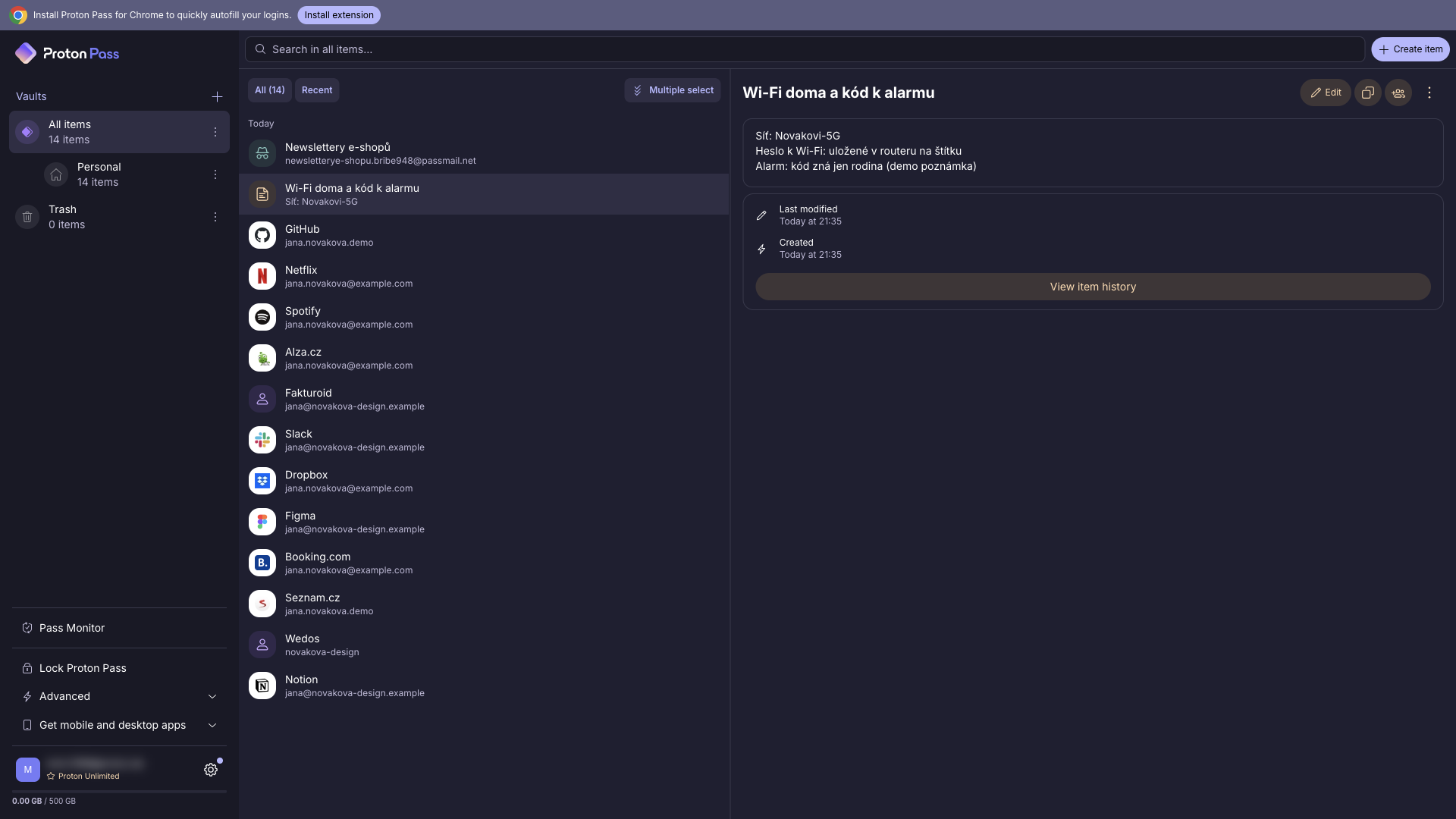
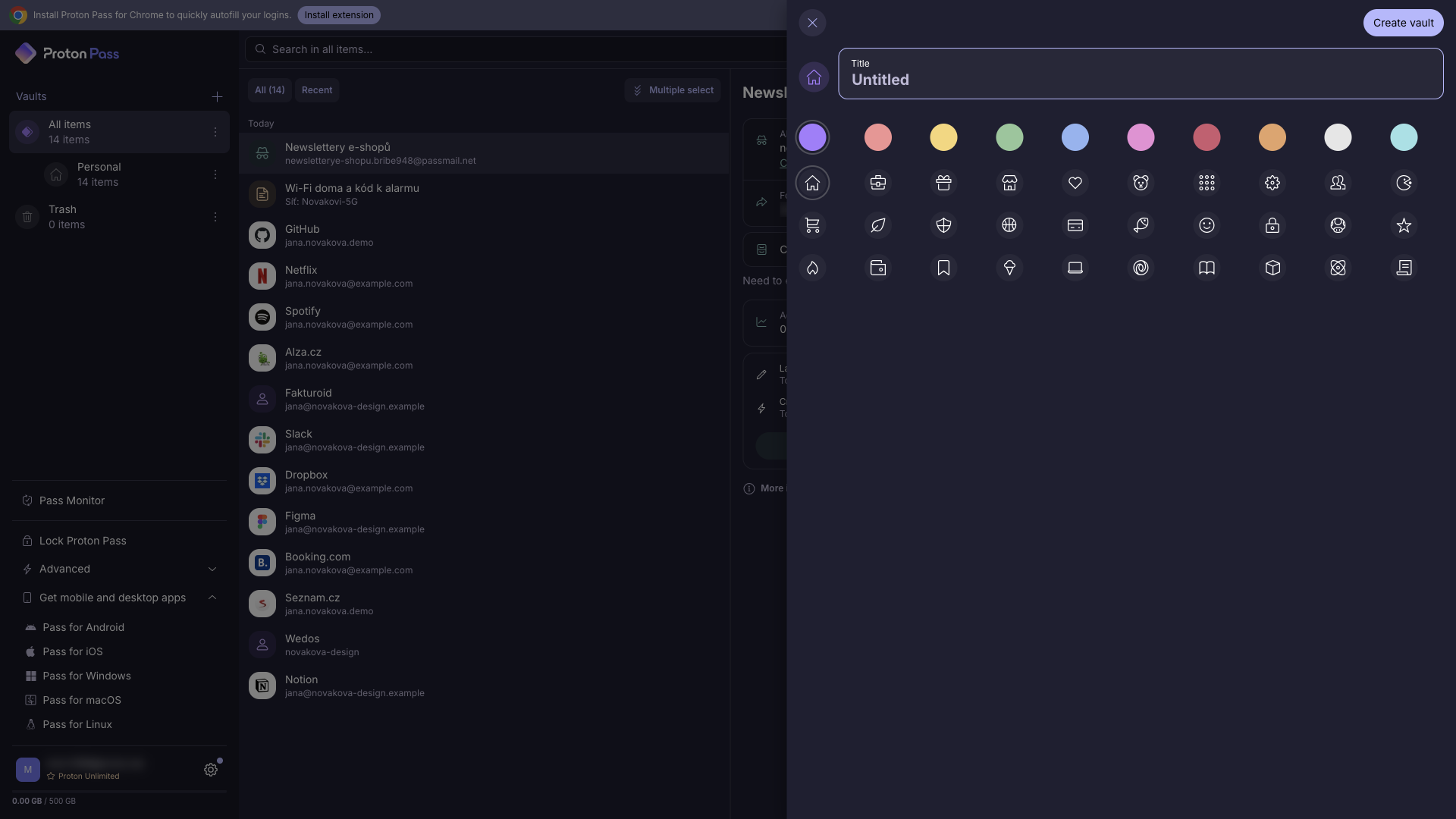
Everything in Proton Pass lives in vaults. You can think of a vault as a folder with its own name, colour and icon: one for personal accounts, one for work, one for the family streaming services, and so on. The free plan gives you 2 vaults, paid plans up to 50.
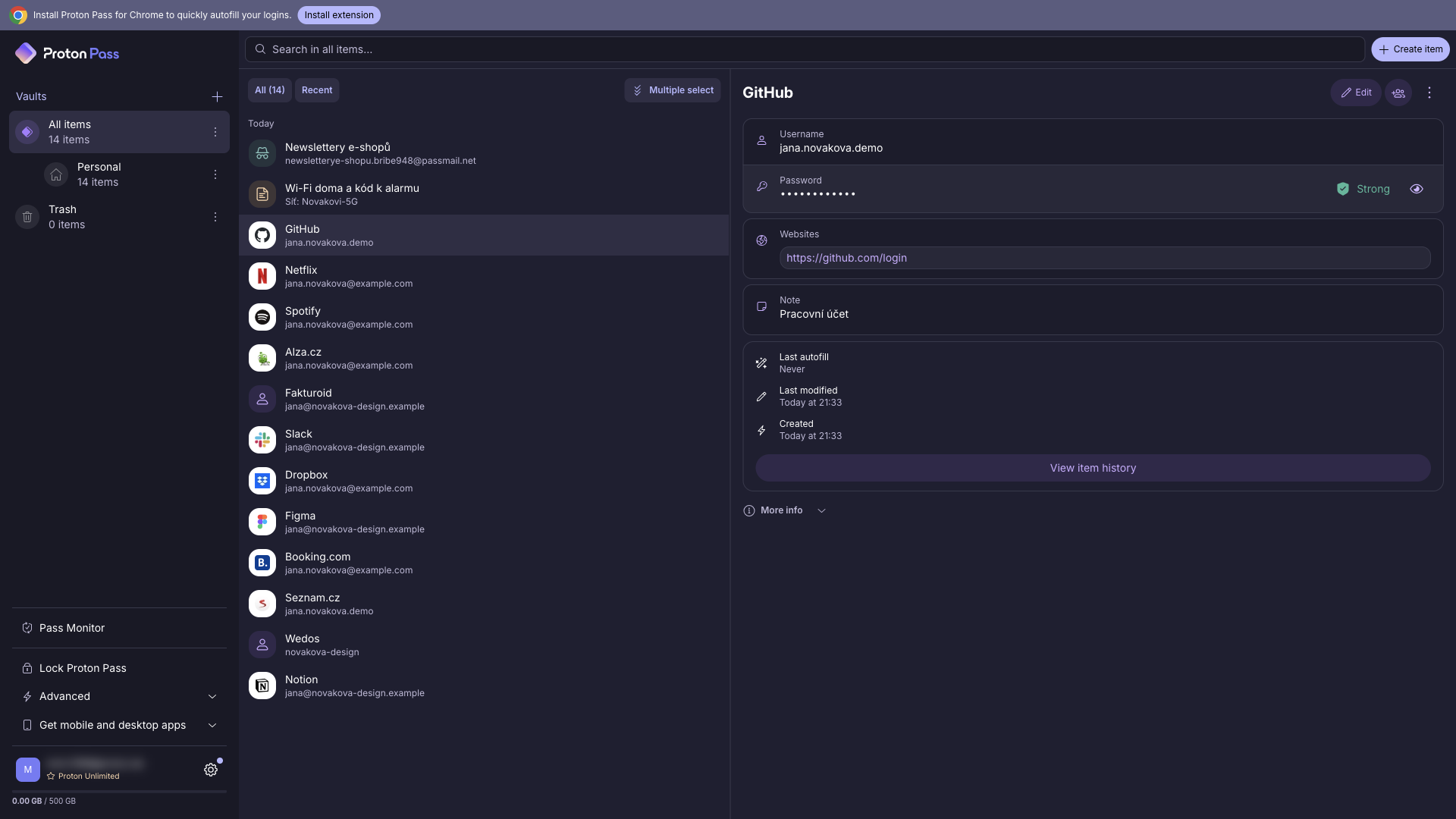
Each login shows the username, the website, the password with a strength indicator, an optional note and the item’s change history, which is handy when you need to find an older password after a change went wrong. Besides logins, Proton Pass stores encrypted notes, payment cards, identities (addresses, ID documents, contact details) and custom item types, for example Wi-Fi passwords, software licence keys or a server login.
The important part: there is no limit on the number of items, not even on the free plan. Some competitors limit free users to a set number of passwords or to a single device; Proton Pass doesn’t.
Easy switch from another manager
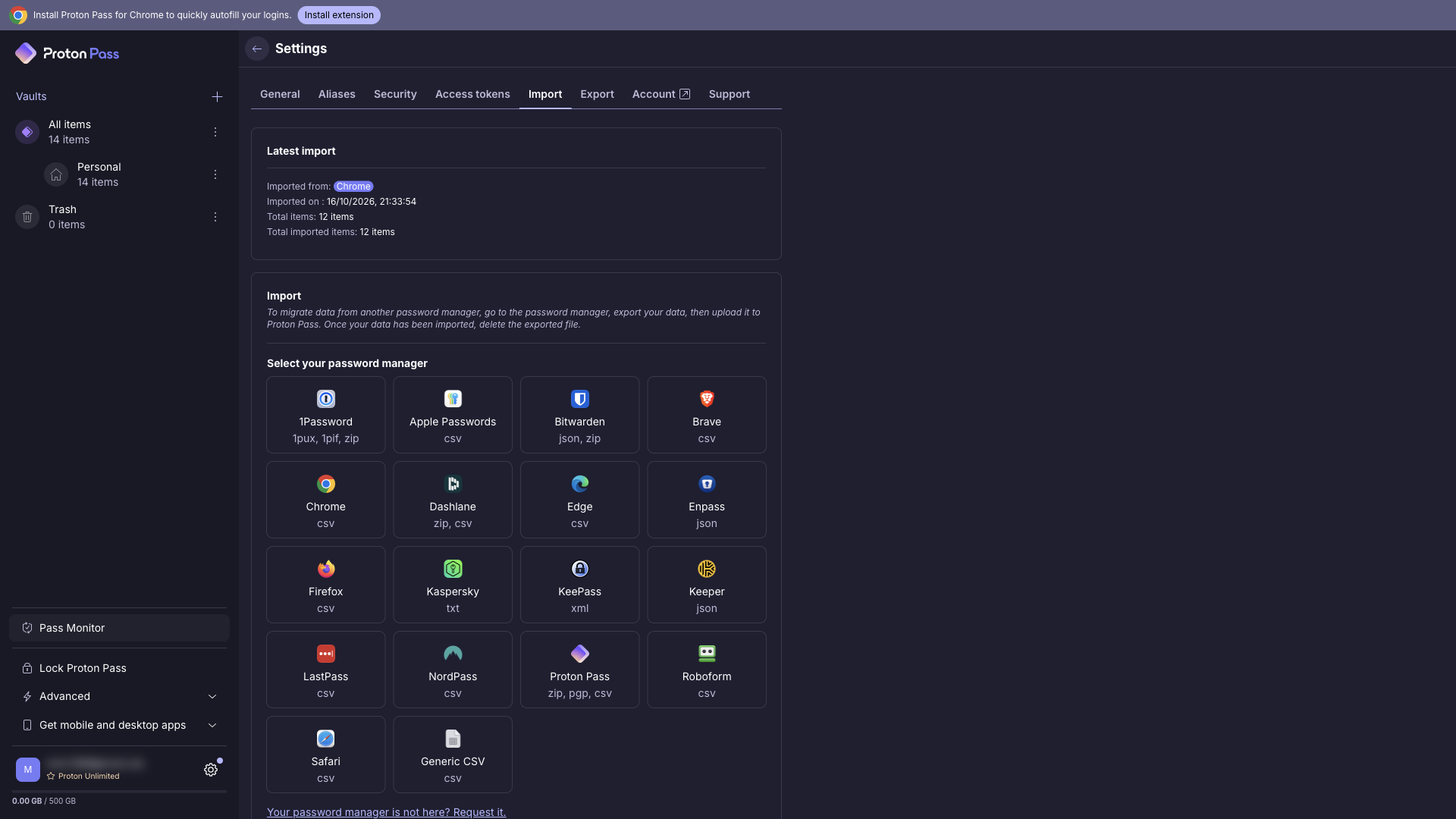
Switching password managers sounds like a lot of work, but in Proton Pass it is mostly a matter of exporting a file from your old tool and dropping it into the import screen. Import supports more than twenty sources, including 1Password, Bitwarden, LastPass, Dashlane, NordPass, KeePass, Apple Passwords and the Chrome, Firefox, Edge and Safari browsers, plus a generic CSV format for anything else.
The whole demo vault in this review was created with a single CSV import, and logins, notes and URLs all landed where they belonged. If you are currently storing passwords in your browser, this is also the moment to move them out: browser password storage is convenient, but it is tied to one browser and lacks features like aliases, sharing or breach monitoring.
Password generator
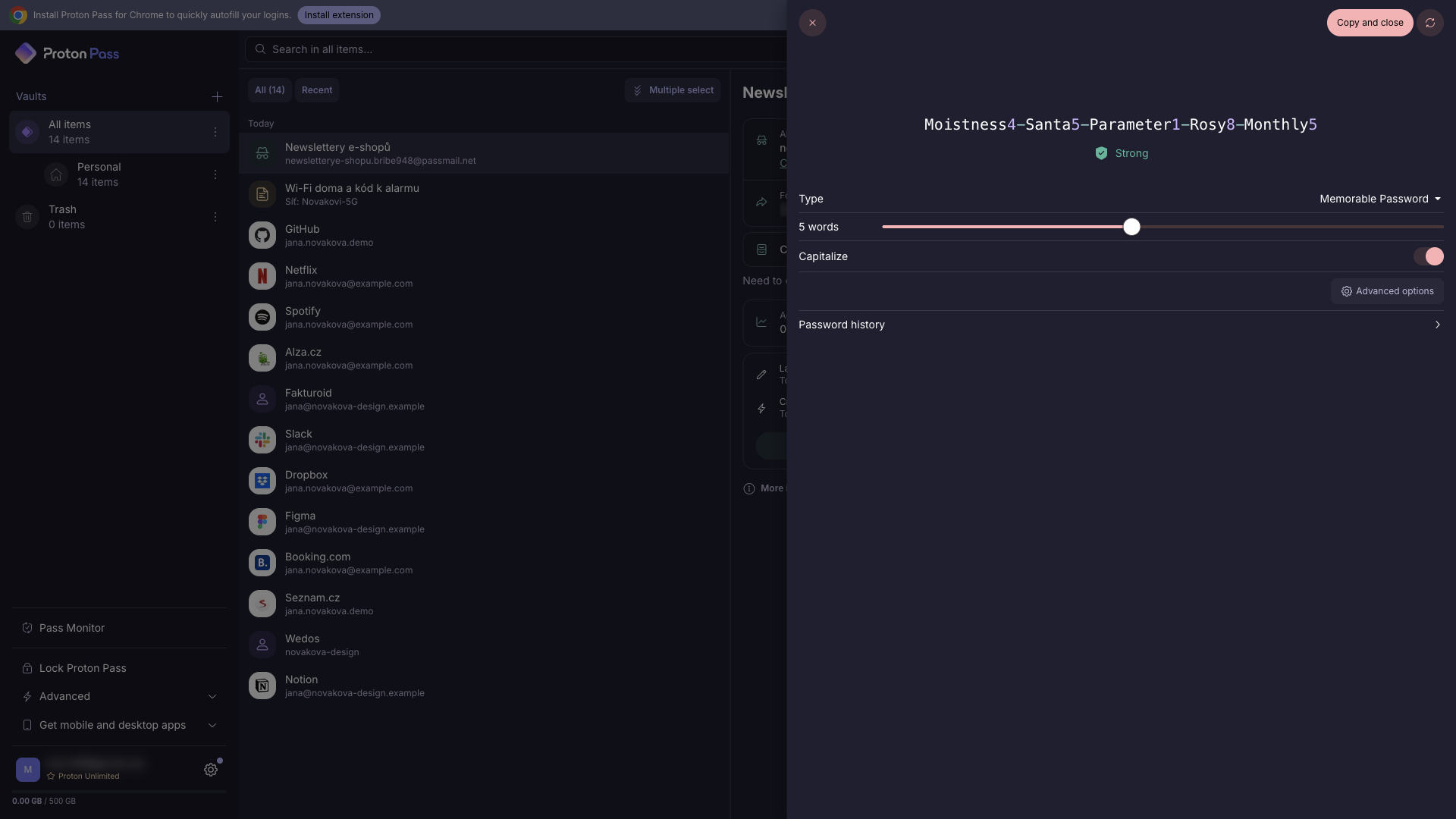
A password manager is only as good as the passwords it creates. The built-in generator offers two modes. The first creates random passwords of the length you choose, with or without capitals, numbers and symbols. The second creates memorable passphrases made of words, for example Shaded0-Grinch4-Tackle6-Alike0-Yelp4. Passphrases are useful for the few passwords you actually need to type by hand, such as the password to your computer or your Wi-Fi.
Length, capitals, numbers and separators are set with a single slider and a few switches, and Proton Pass keeps a history of generated passwords, so a password you generated on a sign-up form is not lost if the page reloads before you save it. The generator is also available right in the browser extension when you create a new account on a website.
Email aliases: the standout feature
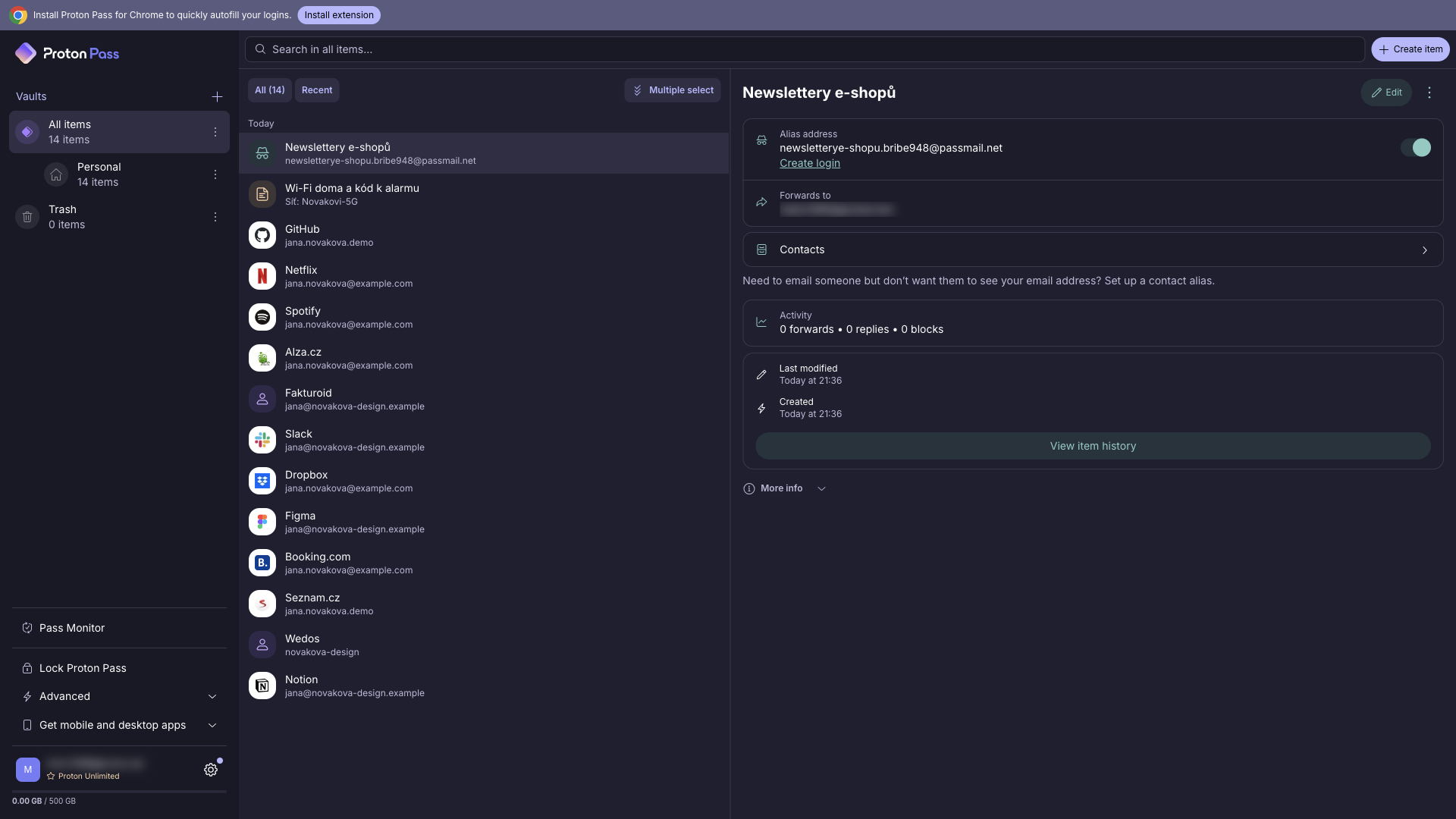
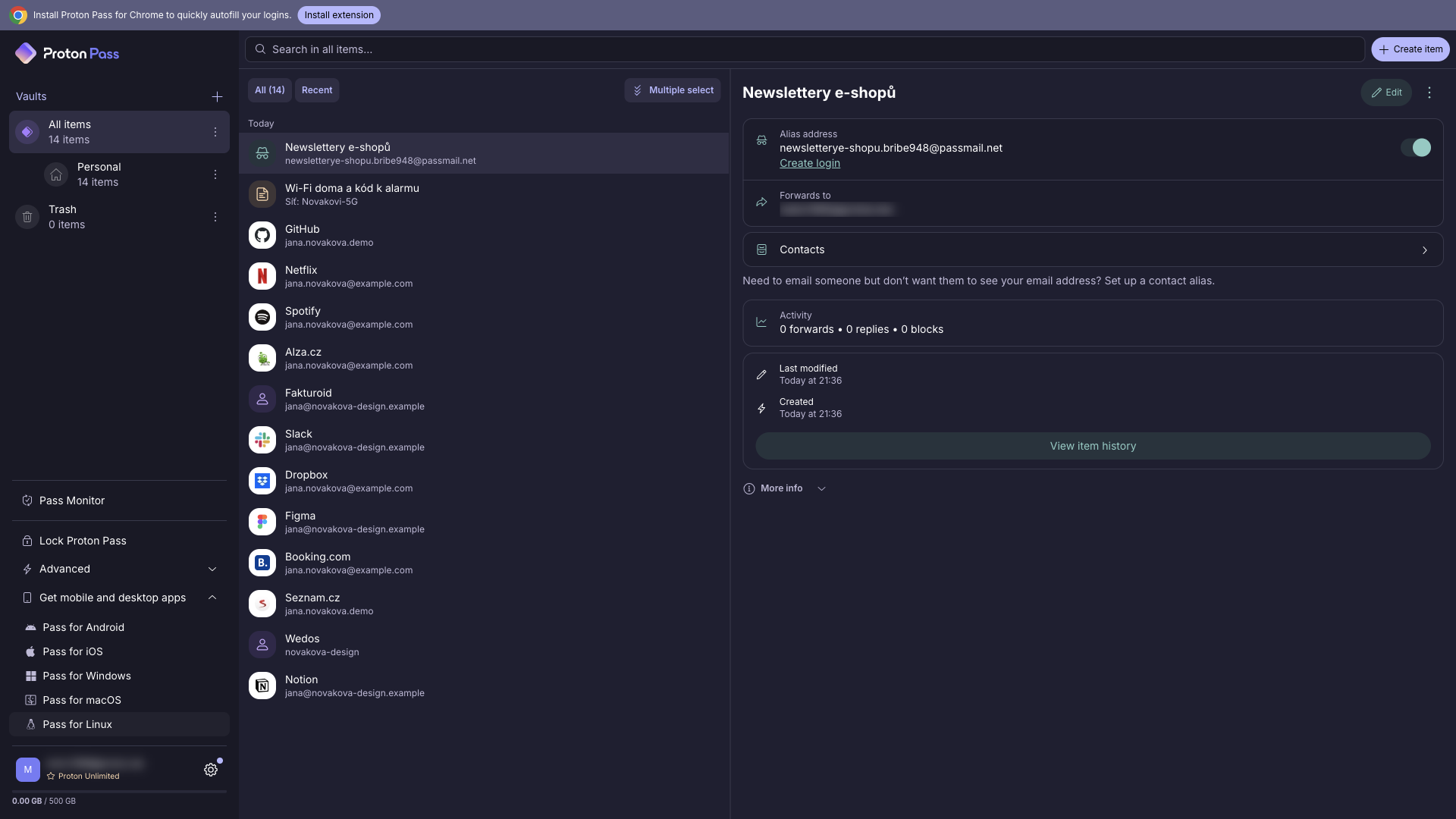
This is where Proton Pass really differs from the competition. It creates hide-my-email aliases: instead of your real address, you give a shop, a newsletter or a one-off registration a random address such as [email protected]. Mail sent to the alias is forwarded to your real inbox, so you don’t need to check a separate mailbox.
Why does that matter? Every time you hand out your real email address, it can end up in a data breach, get sold to a marketing list or be used to link your accounts together. With aliases, each service knows a different address. If an alias starts receiving spam or shows up in a breach, you know exactly which company leaked it, and you simply switch the alias off. Your real address stays clean.
Each alias shows statistics of forwarded and blocked messages, and you can even reply through the alias without revealing your real address. When you create a new account on a website, the browser extension offers to create an alias and save the login in one step, so using aliases does not slow you down.
The technology comes from SimpleLogin, which Proton acquired, so it is a mature service rather than a new experiment. The free plan includes 10 aliases. Paid plans offer unlimited aliases, your own custom domain, a catch-all domain, multiple mailboxes to forward to and sending new emails from an alias.
Pass Monitor: password health
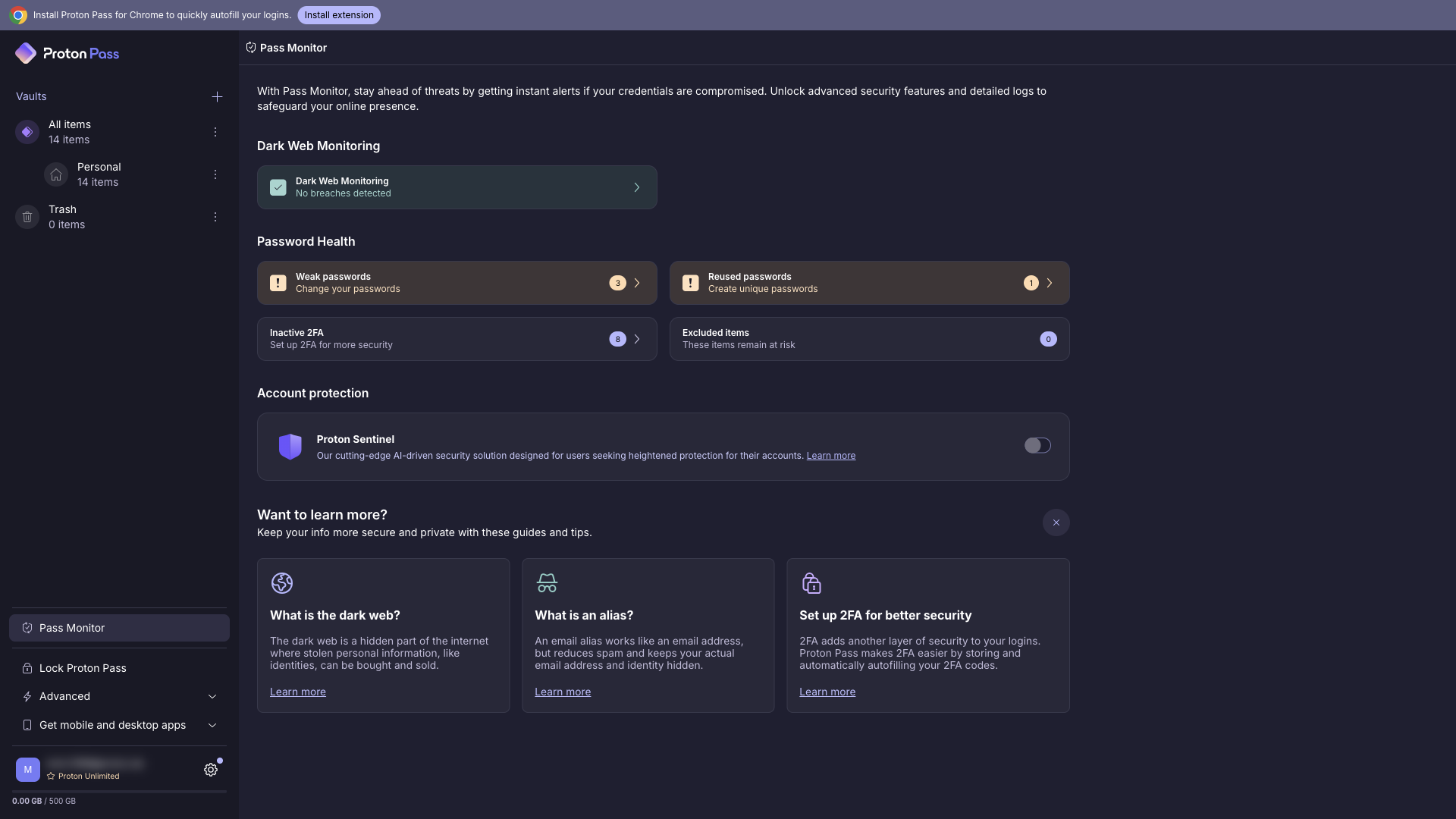
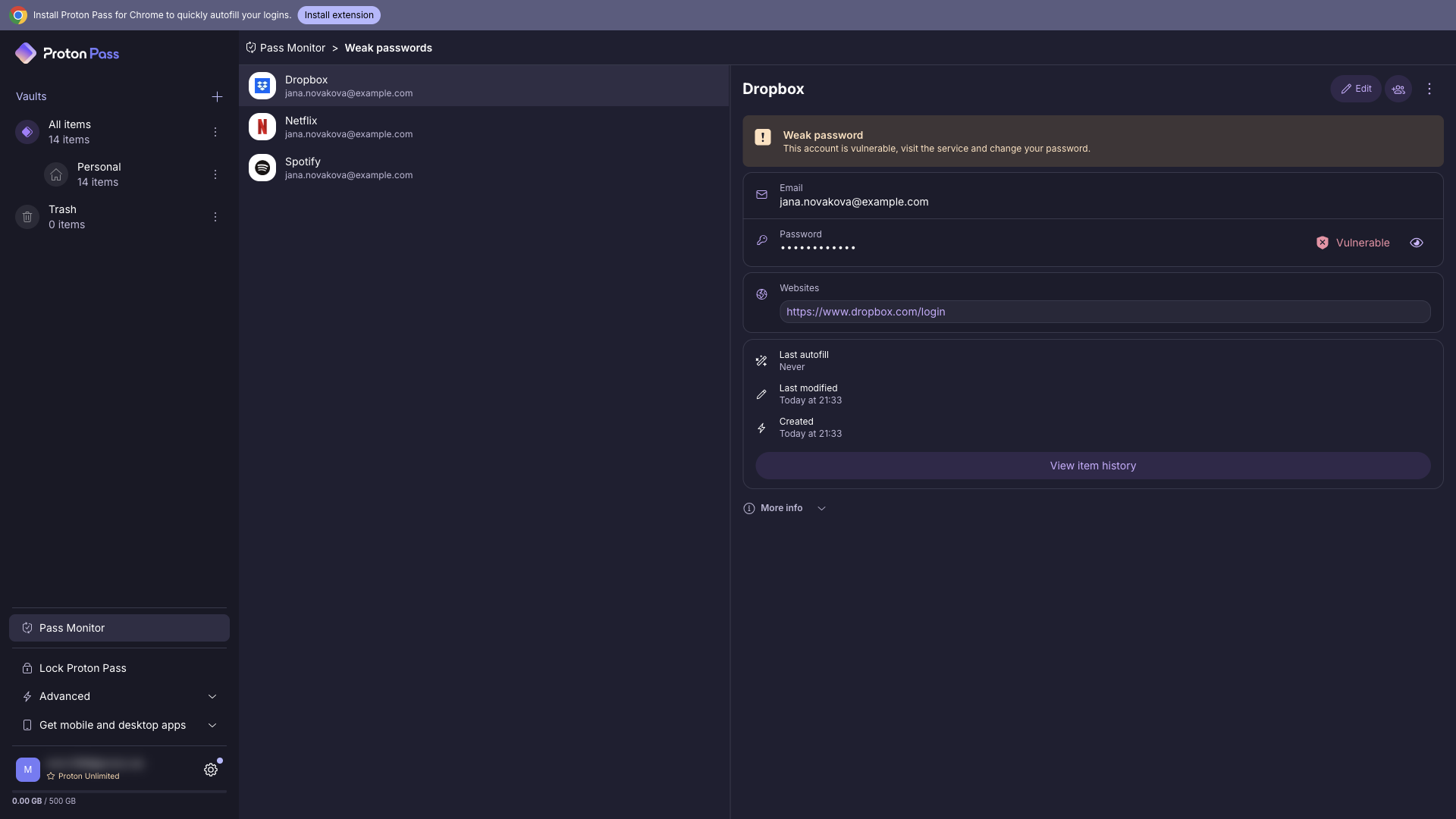
Pass Monitor is a dashboard that tells you how healthy your vault is. It flags weak passwords, reused passwords (the same password on more than one site, which is the most common reason one leak turns into several hacked accounts) and accounts where you could turn on two-factor authentication but haven’t.
On paid plans, Pass Monitor adds dark web monitoring: it checks whether your email addresses, including your aliases, have appeared in leaked databases and alerts you, so you know which password to change first. In my demo vault, Pass Monitor immediately pointed out the weak passwords I had deliberately added, and from each warning you can jump straight to the item and fix it.
Security
Security is the core of Proton’s business, and it shows. Proton Pass uses end-to-end, zero-knowledge encryption: your data is encrypted on your device before it is sent anywhere, so Proton cannot read it. According to Proton, each vault is encrypted with 256-bit AES-GCM using its own random vault key, and those keys are protected with OpenPGP. Unlike some competitors, Proton Pass also encrypts metadata such as usernames, website addresses and note contents, not just the passwords themselves.
All Proton Pass apps are open source, so anyone can inspect the code. Before the code was published in July 2023, the apps, browser extensions and API were tested by the German security firm Cure53, and Proton published the audit results. The company also runs a bug bounty programme for security researchers.
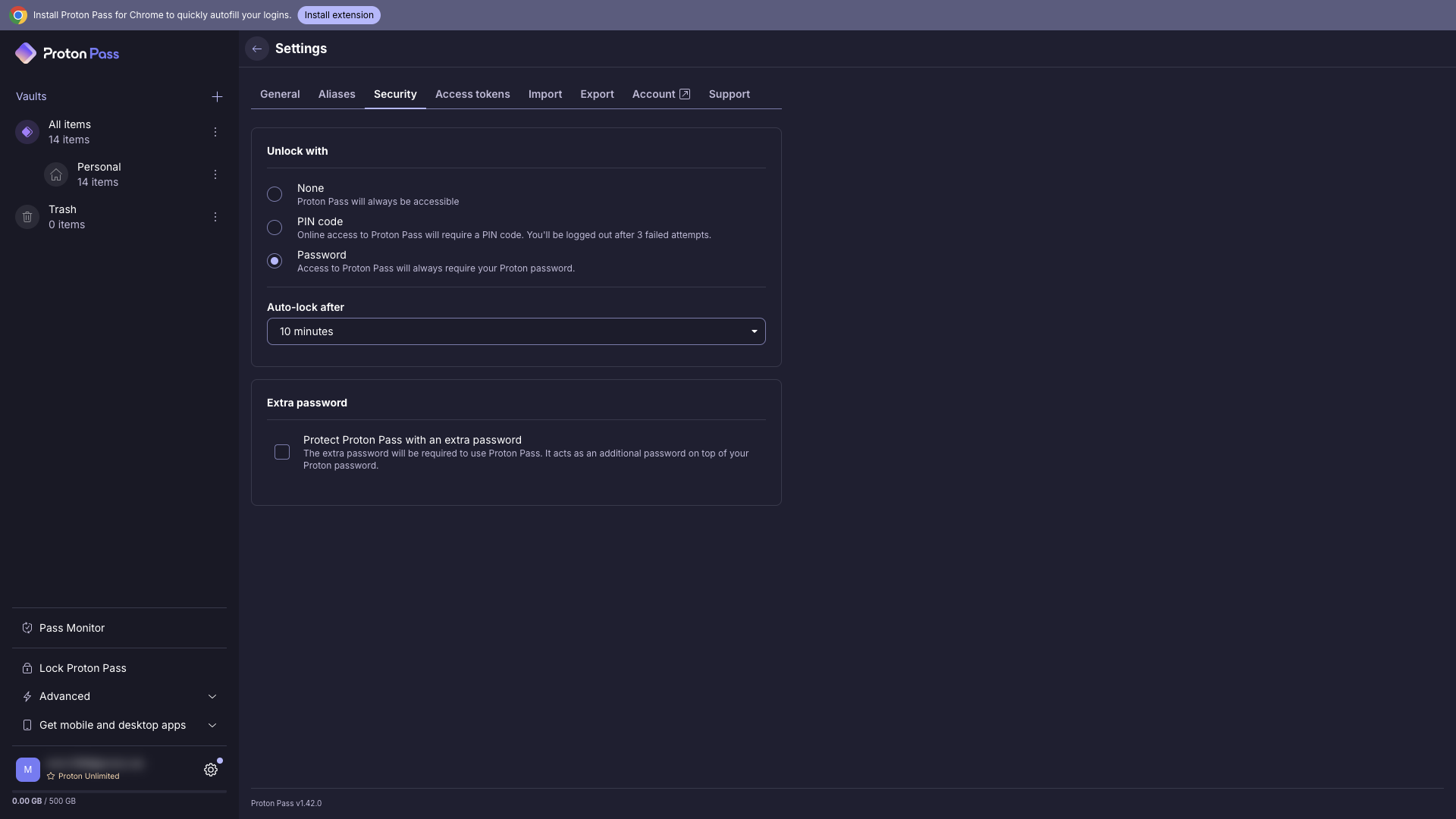
In the app itself, you can unlock the vault with your Proton password or a PIN, set auto-lock after a period of inactivity, and add an extra password on top of your account password. Paid plans include Proton Sentinel, an advanced account protection programme that watches for suspicious logins even when an attacker has the correct password. And of course you can, and should, protect your Proton account with two-factor authentication.
The company is based in Switzerland, which has strong privacy laws and lies outside US and EU jurisdiction.
Apps, extensions and sharing
Proton Pass runs on Windows, macOS, Linux, Android, iOS and the web, and as an extension for Chrome, Firefox, Safari, Edge and Brave. Everything syncs automatically, and there is no limit on the number of devices, even on the free plan. In everyday use, the browser extension is where Proton Pass shines: it recognises login forms, fills in your credentials, offers to save new logins and creates aliases on sign-up forms. On mobile, Proton Pass integrates with the system autofill on Android and iOS.
Proton Pass also supports passkeys on all devices and all plans, so you can log in to supporting websites without a password at all. Paid plans add a built-in 2FA authenticator, which generates one-time codes right next to the saved login, and a command-line interface (CLI) for developers and admins.
For sharing, you can share whole vaults with family or colleagues and send individual passwords via secure links. The free plan lets you share vaults with 2 people; paid plans increase this to 10 and add single-item and link sharing. Pass Plus also includes Emergency Access, which lets a trusted person request access to your vault if something happens to you.
Pricing
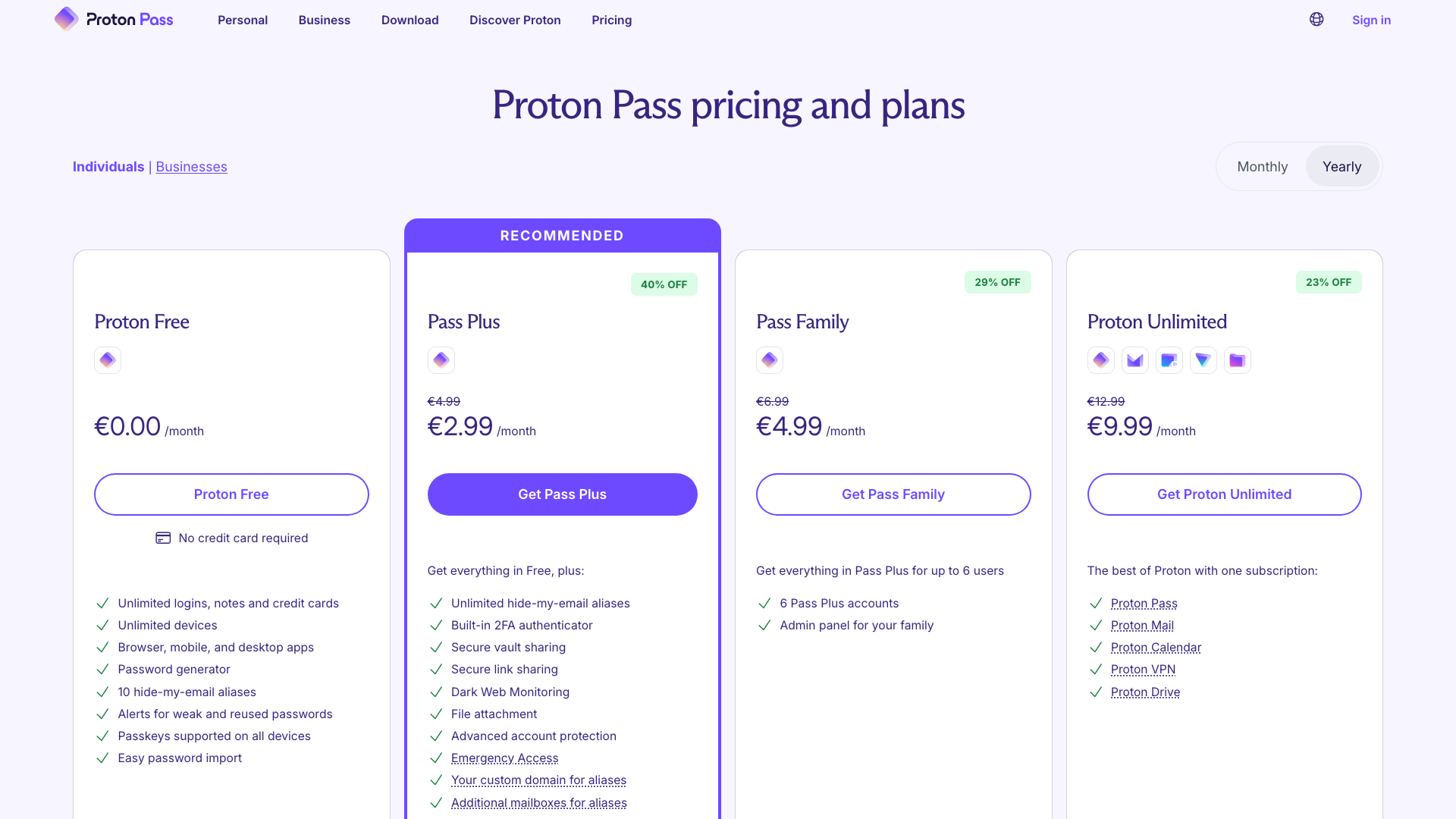
Proton Pass has a genuinely usable free plan and three paid options. Prices with annual billing (EUR and USD use the same numbers):
| Plan | Price | What you get |
|---|---|---|
| Proton Free | free | unlimited passwords and devices, 2 vaults, 10 aliases, passkeys, weak password alerts |
| Pass Plus | 2.99 / month | unlimited aliases and custom domains, built-in 2FA authenticator, sharing, dark web monitoring, attachments, Proton Sentinel, emergency access |
| Pass Family | 4.99 / month | Pass Plus for 6 users + family admin panel |
| Proton Unlimited | 9.99 / month | Pass Plus + Proton Mail, Calendar, VPN and Drive (500 GB) |
At the time of writing, Pass Plus is discounted from 4.99 to 2.99 a month, which works out to 35.88 a year. Pass Family costs 59.88 a year, and for six people that is under a euro or dollar per person per month. Pass Plus and Proton Unlimited come with a 30-day money-back guarantee.
Which plan makes sense? The free plan is enough for anyone who just wants their passwords in one safe place on all devices. Pass Plus is worth it if you like aliases and want an unlimited number of them, or if you want the authenticator, dark web monitoring and Sentinel. Pass Family is the best value for households. And if you are already thinking about Proton Mail or Proton VPN, Proton Unlimited bundles everything, including Pass Plus.
Who is Proton Pass for
- People who want a free password manager without a limit on passwords or devices.
- Privacy-minded users who want to stop handing out their real email address and appreciate a provider owned by a non-profit foundation.
- Existing Proton users, because Pass uses the same account and is included in Proton Unlimited.
- Families and small teams that want to share some vaults without paying per-seat business prices.
If you need advanced business features such as detailed admin policies, Proton offers separate business plans, but this review focuses on the personal plans.
What we like
- ✅ Email aliases built right into the password manager
- ✅ Generous free plan with no password or device limits
- ✅ End-to-end encryption including metadata, open source, independent audits
- ✅ Pass Monitor for weak and reused passwords and breach alerts
- ✅ Import from 20+ managers and browsers
- ✅ Apps for every platform, including Linux, passkey support and a CLI
Things to consider
- The built-in 2FA authenticator, dark web monitoring, Proton Sentinel and wider sharing are paid features.
- The free plan is limited to 2 vaults and 10 aliases.
- The best prices require annual billing.
- Proton Pass is most convenient with the browser extension; the web app is mainly for managing your vault.
Verdict
Proton Pass is a great choice if you want a secure password manager from a company built around privacy. The basics are done well: strong encryption, open-source apps, a solid generator, easy import and apps for every platform. What sets it apart are the email aliases, which protect the other half of every login, and a free plan that doesn’t push you to upgrade after a handful of passwords.
If you just want to store passwords safely, start with the free plan. If aliases click for you, Pass Plus is inexpensive, and if you already use Proton Mail or VPN, Pass is included in Proton Unlimited at no extra cost. Still deciding? See how it stacks up in our 1Password vs Proton Pass vs Bitwarden comparison.
Sources