На наших веб-страницах размещены ссылки на партнёрские сайты. Если вы перейдёте на сайт партнёров с нашей страницы и приобретёте их услуги, мы получим комиссию за посредничество (Узнать больше). Такая форма сотрудничества не влияет на объективность наших отзывов. Каждая покупка, произведённая через клики, поддерживает нашу редакцию и помогает нам создавать качественный и полезный контент. Благодарим вас!

Обзор Proton Mail: зашифрованная швейцарская почта, которую не может прочитать даже Proton
Содержание
In short: Proton Mail is the email service from Swiss company Proton (the people behind Proton VPN and Proton Pass). It stores all your mail with zero-access encryption, encrypts messages between Proton users end-to-end and blocks trackers hidden in emails, while being about as easy to use as Gmail. The free plan gives you up to 1 GB and one address; Mail Plus costs €3.99 / $3.99 a month billed yearly.
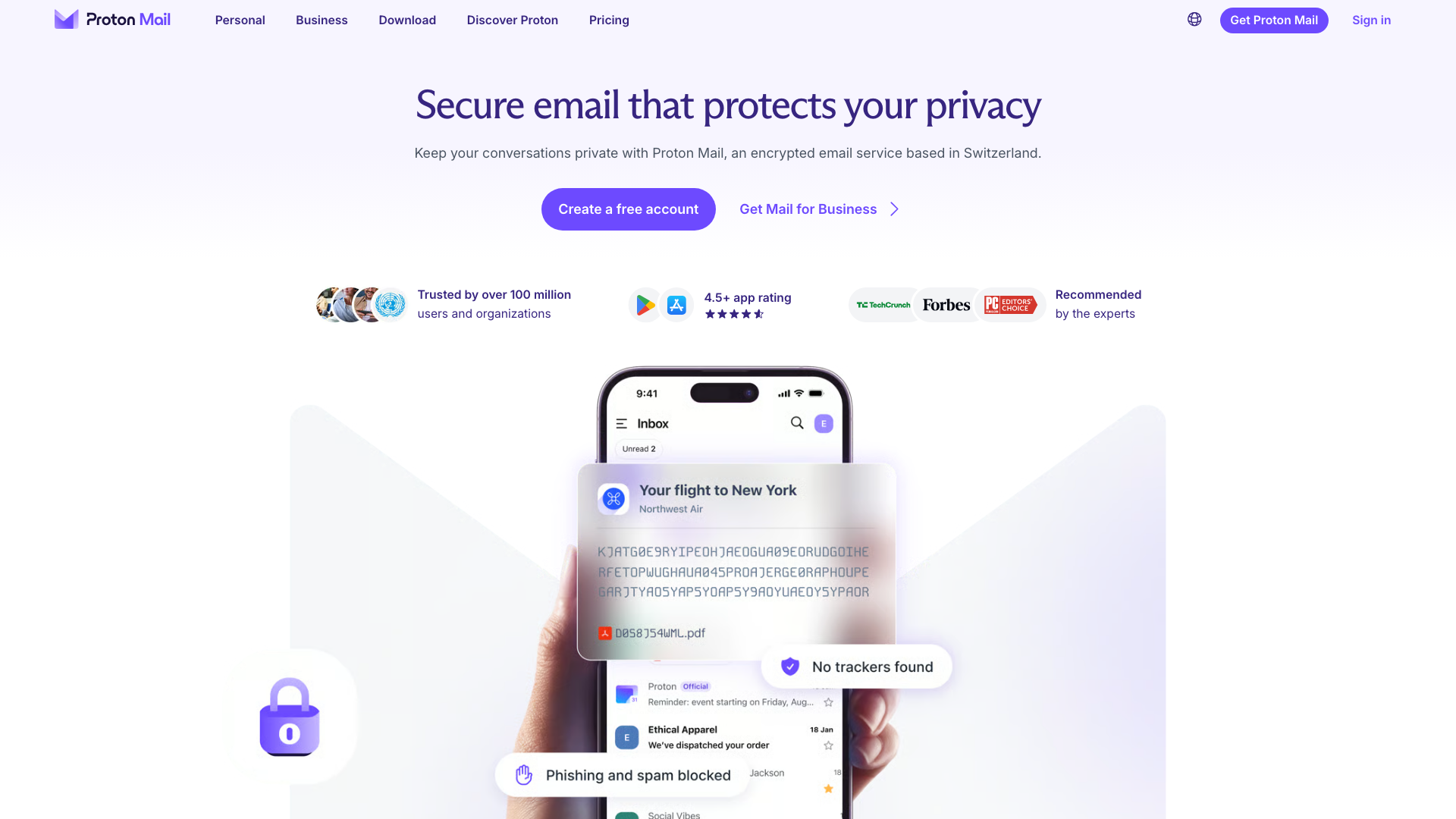
Your email is the key to your whole digital life. It is where invoices, bank statements, order confirmations and flight bookings land, and where every other service sends its password reset links. Whoever can read your inbox knows more about you than most of your friends do. And yet most people use free inboxes whose provider can technically read the content of their messages and whose business model is built on advertising and data.
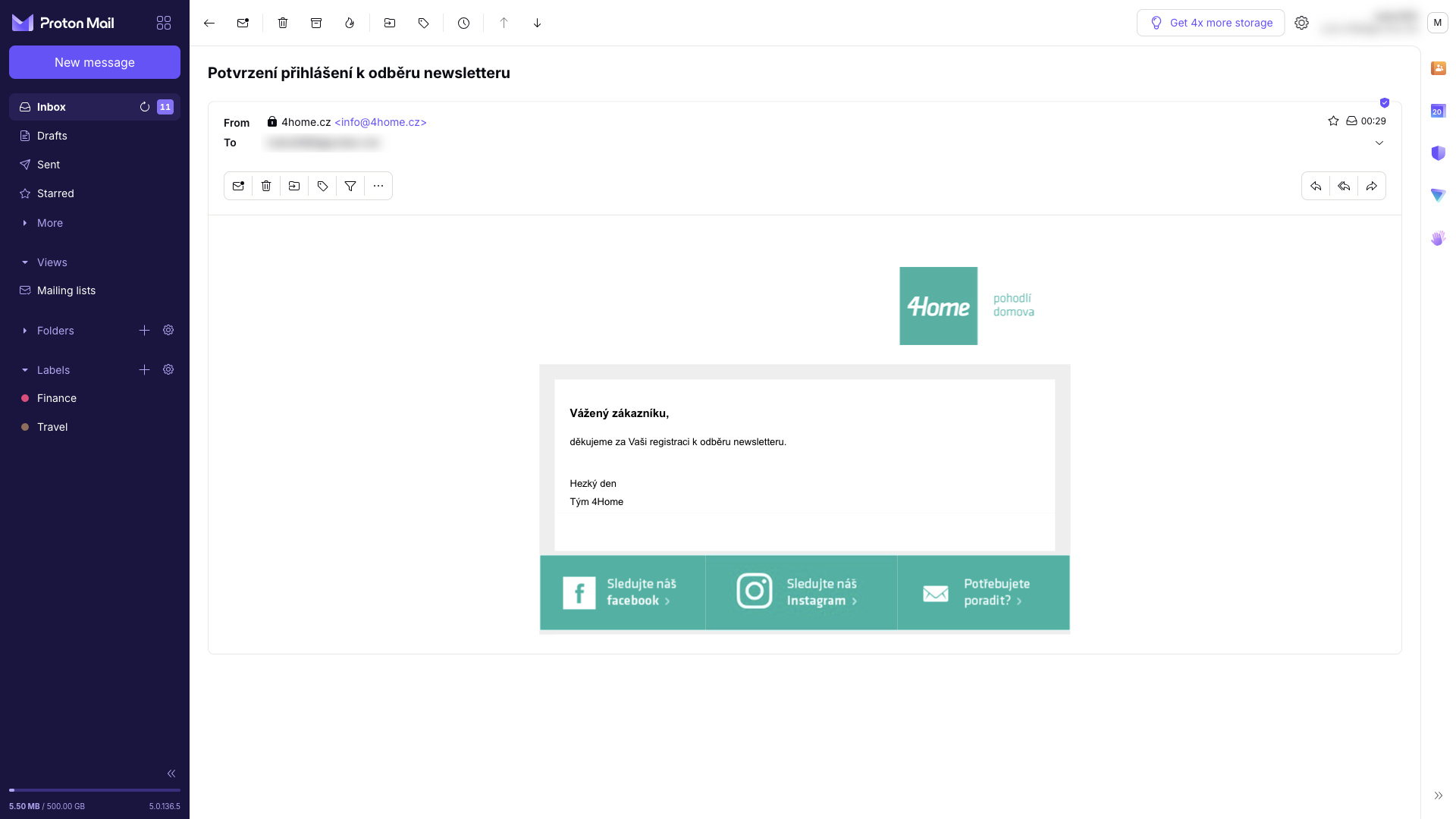
Even ordinary marketing mail is less innocent than it looks. Newsletters and promotional emails almost always contain trackers that tell the sender when you opened the message, on what device and roughly where you were. How widespread this is became clear when Proton looked at the emails of 50 well-known brands, which we covered in Your holiday shopping emails are watching you.
Proton Mail promises to fix both problems: an encrypted inbox that not even the provider can look into, and protection from tracking, without giving up the convenience of modern email. I went through it as a new user would: I created an account, had sample messages sent to it, sorted them into categories and labels, sent a password-protected message, scheduled a send, and went through the privacy, address, domain, import and app settings. Here is what I found.
Video review
Prefer watching? The video below walks through the same features in about three minutes.
Who is behind Proton Mail
Proton is a Swiss company founded in 2014 by scientists who met at CERN. Proton Mail was its first product: it opened as a public beta on 16 May 2014 and officially left beta in March 2016. A whole suite of services has grown around it since then: Proton VPN, Proton Calendar, Proton Drive cloud storage, the Proton Pass password manager and the Lumo AI assistant. According to Proton, its services are used by more than 100 million people and organisations.
Since 2024, Proton’s largest shareholder has been the non-profit Proton Foundation, based in Geneva. According to CEO Andy Yen, control of the company cannot change without the foundation’s consent. For a service you trust with all your mail, that is an important safeguard: the company can’t simply be sold to someone who would like to start monetising user data. Proton Mail is funded by subscriptions, not advertising.
Inbox, categories and labels
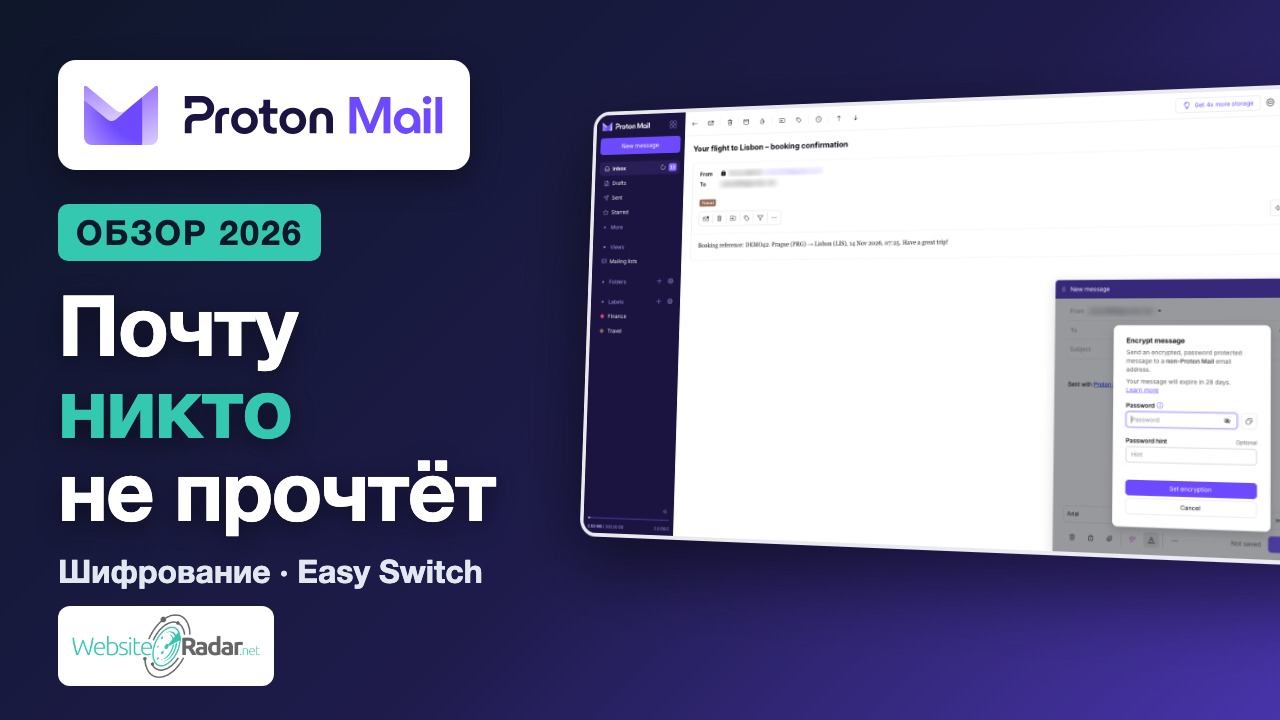
First impressions matter, and Proton Mail doesn’t disappoint. The interface is clean and modern, and anyone coming from Gmail will find their way around within minutes. Folders and labels are on the left, search is at the top, and category tabs sit above the message list.
Categories arrived in August 2026. Incoming mail is automatically sorted into Primary, Social, Promotions, Newsletters, Transactions and Updates, much like in Gmail. If a message lands in the wrong category, you just move it, and future mail is sorted accordingly. Categories are switched on by default for new accounts, but you can turn them off.
Besides categories, you can file messages into folders and tag them with colour-coded labels, such as Finance or Travel. There are also filters that sort mail automatically, snooze for dealing with a message later, and keyboard shortcuts. The free plan, however, only allows 3 folders and 3 labels, which runs out quickly once your inbox gets busier.

Encryption that just works
Encryption is the main reason people choose Proton Mail, and the key point is that you don’t have to deal with it. No keys, no setup; everything runs in the background.
Proton uses two layers. Zero-access encryption applies to all mail in your inbox, including messages from Gmail users, online shops or your bank. As soon as a message arrives, Proton encrypts it with your public key, and it can only be decrypted with your private key, which the company has no access to. Proton therefore cannot read your emails even if it wanted to.
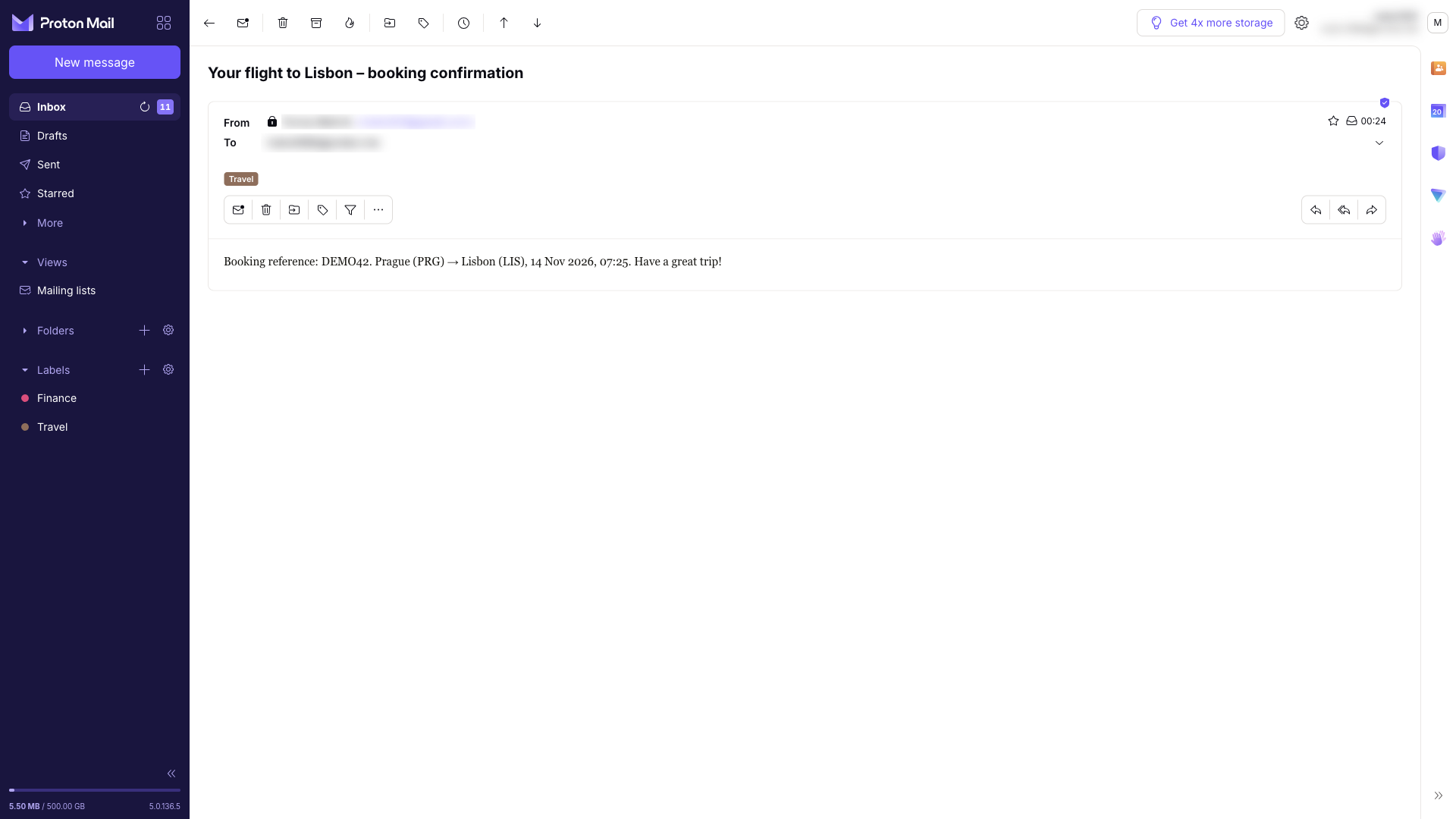
End-to-end encryption applies to messages between Proton users. A message is encrypted on your device and only decrypted by the recipient, so nobody can look into it on the way. You can tell by the lock icon next to the sender. Proton is built on the open OpenPGP standard, so you can also exchange encrypted messages with people who use PGP with other providers.
The Proton Mail apps are open source, and Proton says its code has been independently audited. In 2021, for example, the European security firm Securitum reviewed Proton Mail’s security architecture and found no serious issues. You can protect your account with two-factor authentication, including YubiKey and other FIDO2 hardware keys.
One thing is only fair to point out: the subject line is not end-to-end encrypted. According to Proton’s own documentation it is protected in a different way, and accessing it would require an order approved by a Swiss court. Still, don’t put anything sensitive in the subject.
Writing: passwords, scheduling, assistant
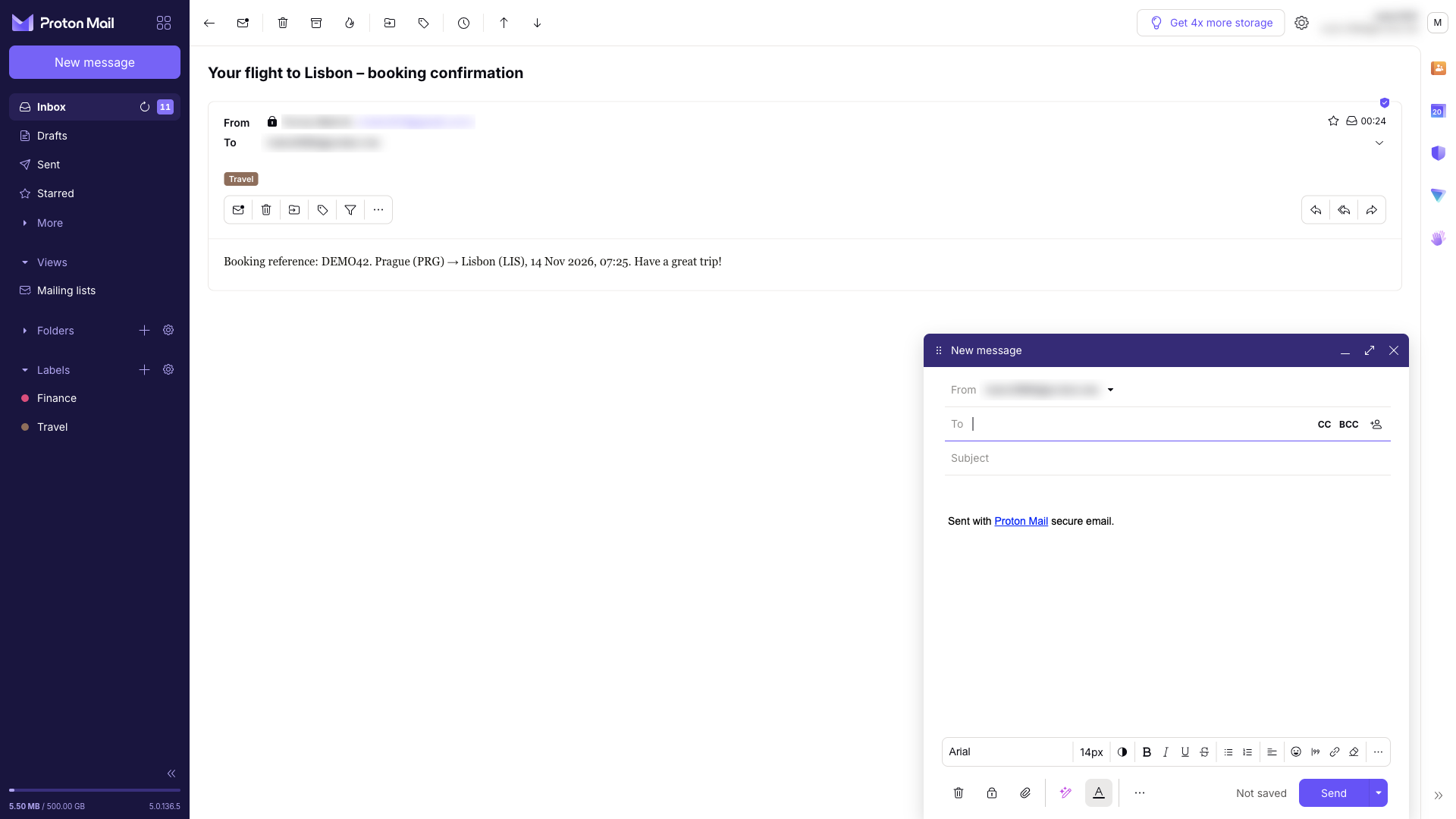
The compose window looks like any other email client: formatting, attachments, signature, CC and BCC. The interesting features are in the bottom toolbar.
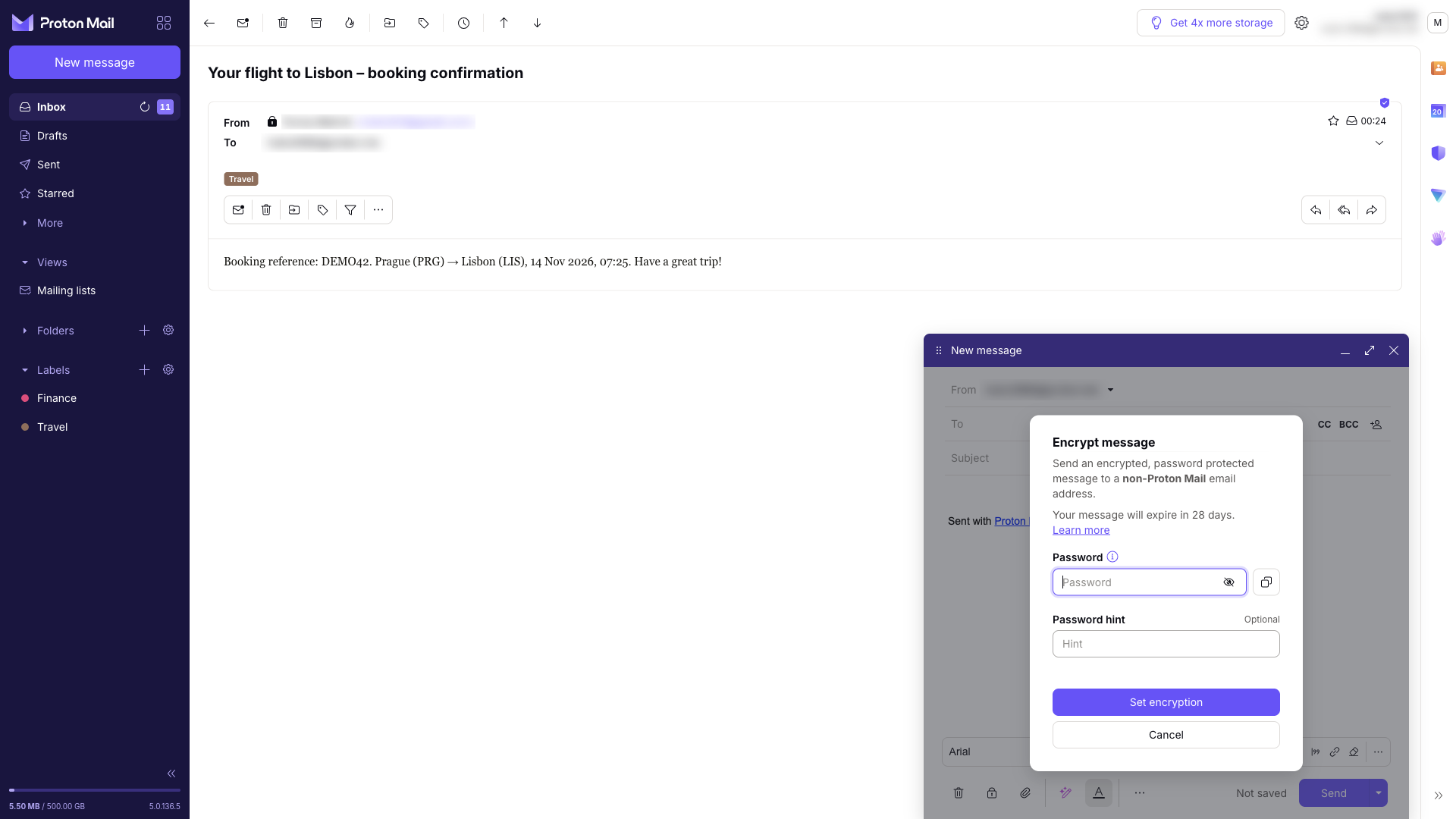
Password-protected email. End-to-end encryption between Proton users is a given, but what if you need to send a sensitive document to someone on Gmail or Outlook? Click the lock icon, set a password and, optionally, a hint. The recipient gets a link, opens the message with the password you share through another channel (by phone, for example), and can reply securely up to five times. Password-protected messages expire after 28 days, and the recipient’s email provider can’t read them.
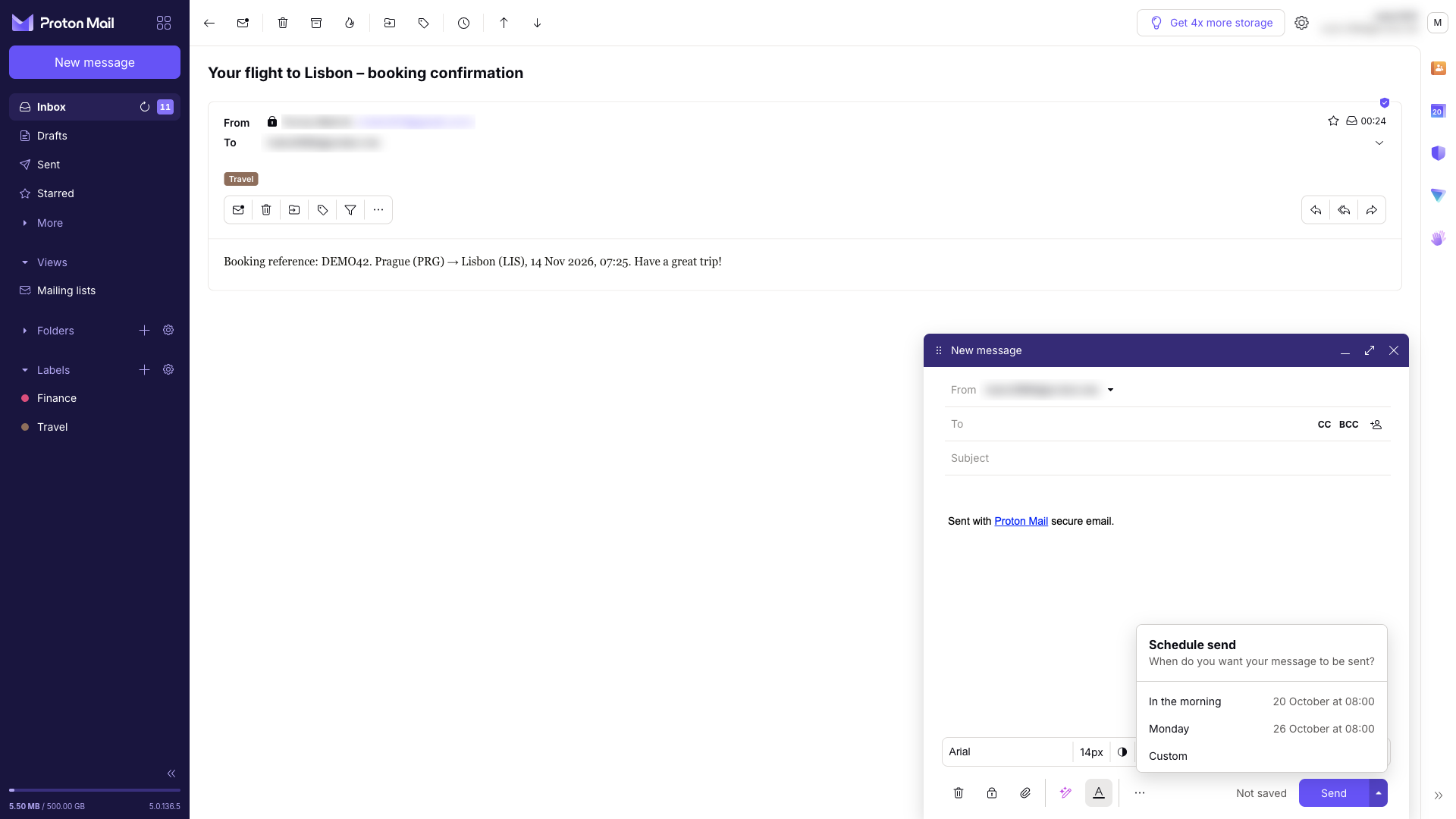
Scheduled send. Write a message in the evening and have it go out at 8 a.m., or any other time. Handy when you don’t want to email colleagues at 11 p.m.
Undo send. After you click Send, you get 10 seconds by default to change your mind. You can extend this to up to 20 seconds.
Proton Scribe writing assistant helps you draft a message or polish your text. It can run on Proton’s servers or download a language model to your computer, so your text never leaves your device. The local mode is English-only, and Scribe is not included in Mail Plus or Proton Unlimited. It comes with the Duo and Family plans; other paid plans can try it for 14 days.
Privacy for everyday mail too
Encryption protects what is stored in your inbox. Just as important is what happens when you open an email from a company, and this is where Proton Mail does more than most free services.
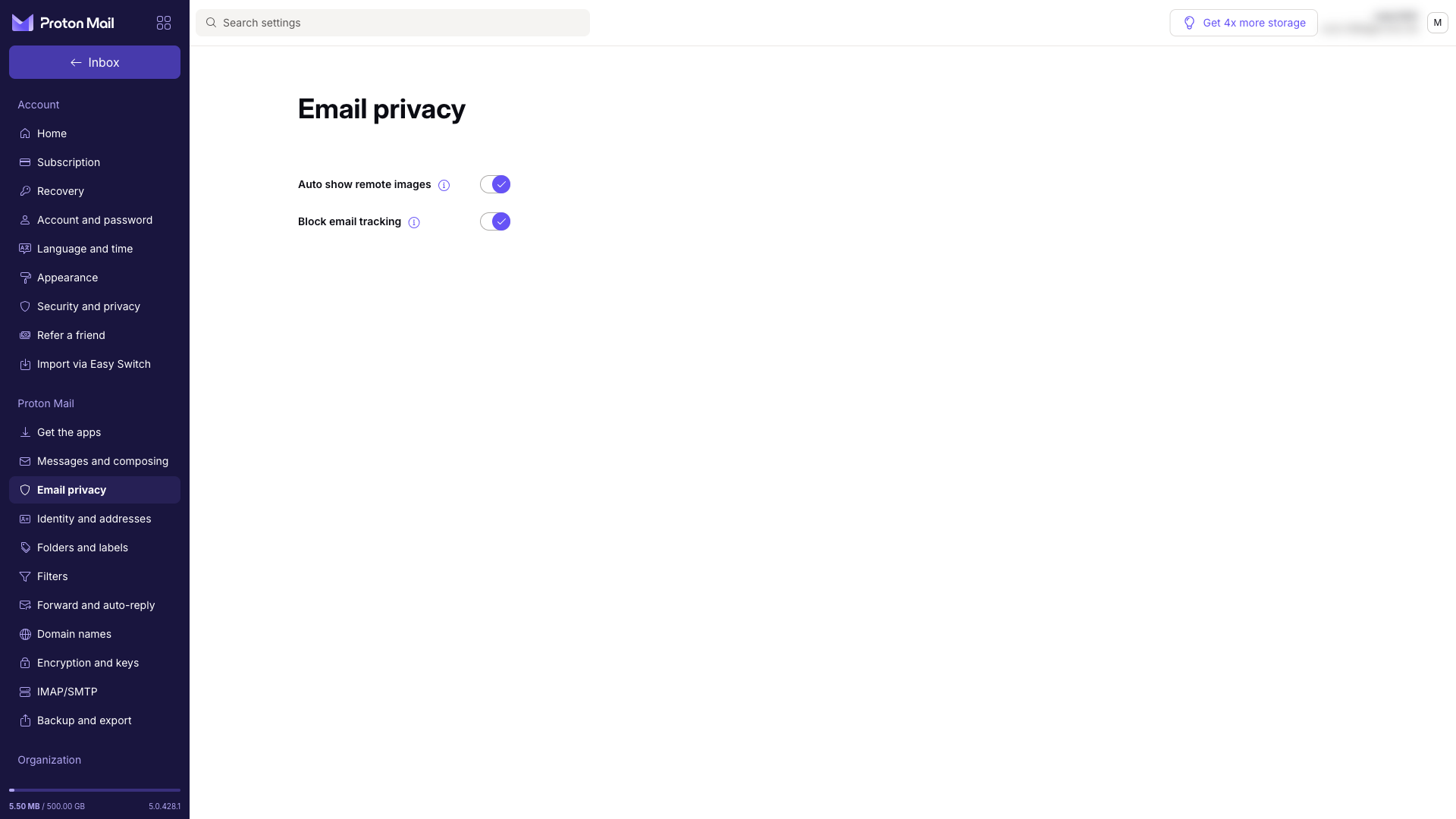
Tracker blocking. In messages that aren’t end-to-end encrypted, Proton removes known tracking pixels. Other remote images are loaded through Proton’s own proxy with a generic IP address, and they are loaded as soon as the email arrives, not when you open it. The sender therefore doesn’t learn your IP address, your device or the exact time you opened the message. In the web app, Proton also strips known tracking parameters, such as UTM tags, from links. This protection is on by default.
Phishing protection. PhishGuard checks sender authentication (SPF, DKIM, DMARC) and blocks or clearly flags suspicious messages and spoofed addresses. Link confirmation shows you the real destination of a link before you open it. If you want to learn to spot phishing on your own, read how to recognise phishing and prevent data theft.
Newsletter overview. The Mailing lists view shows all your subscriptions in one place, and you can unsubscribe from the ones you no longer want in a single click. If spam and marketing email bother you in general, see also our guide on how to stop spam email.
Addresses, aliases and custom domains
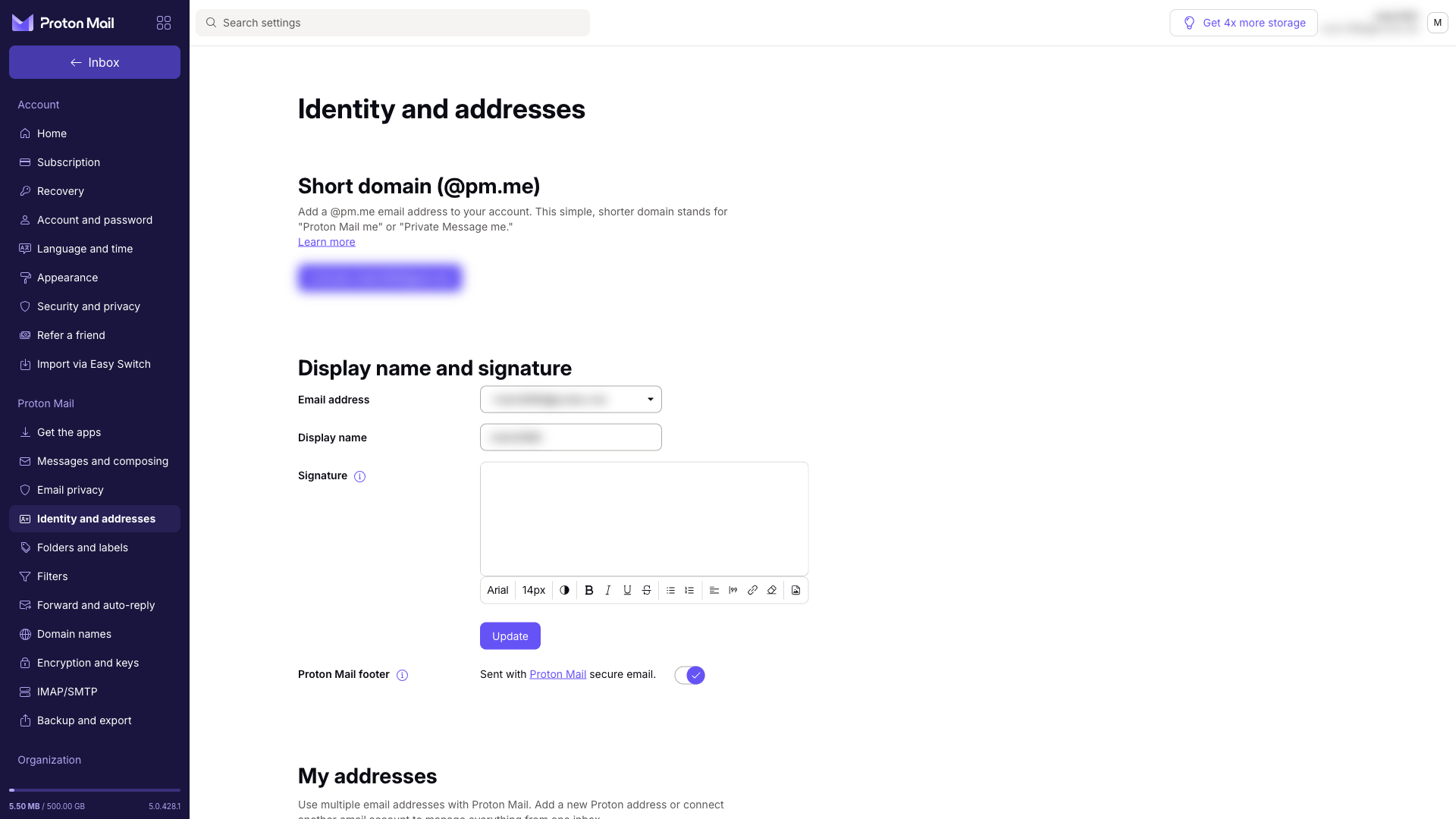
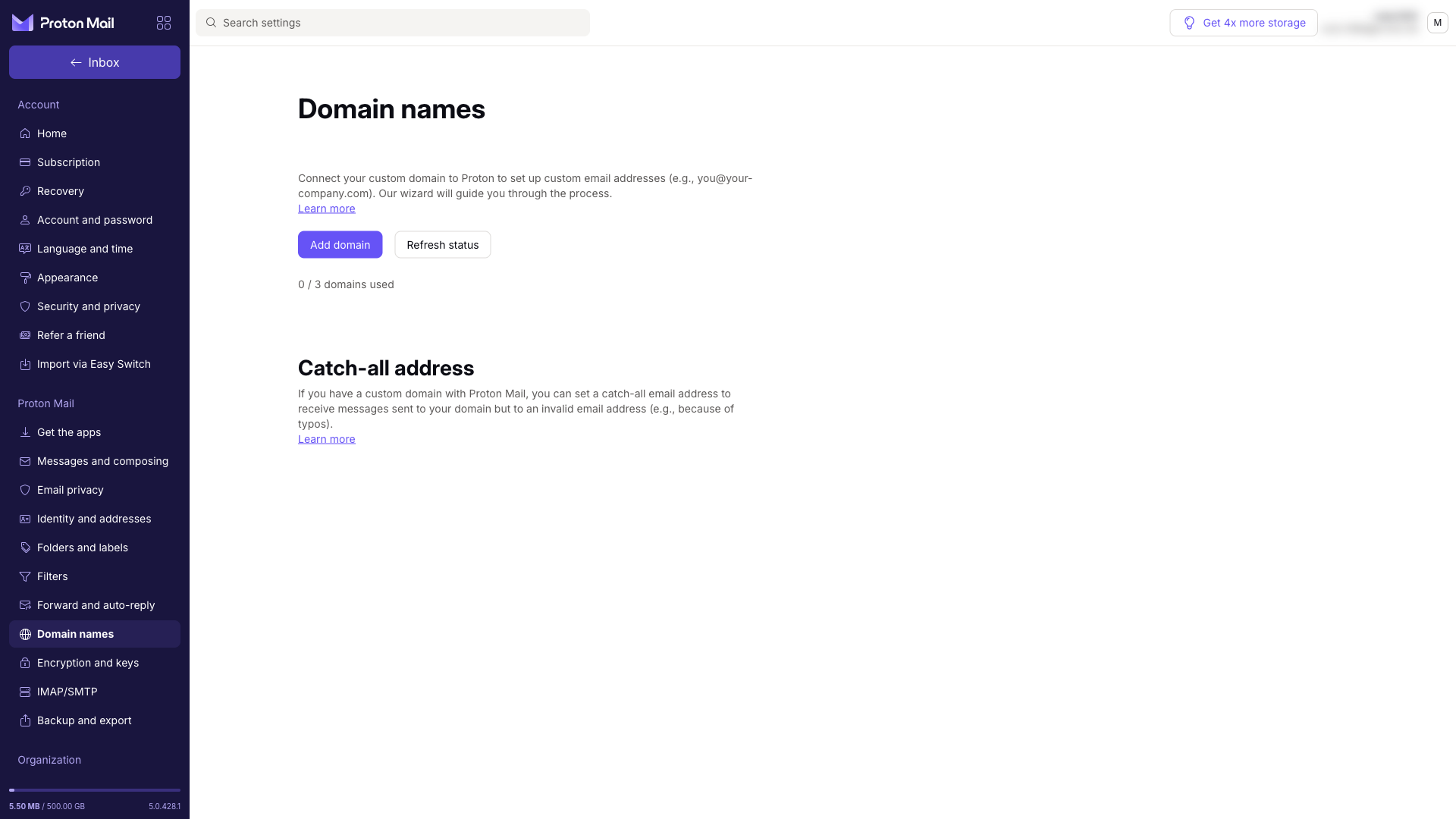
The free plan includes one address. Paid plans add more: 10 on Mail Plus, 15 on Proton Unlimited. You manage them all from one inbox and choose which one to send from when you write. The shorter @pm.me domain is also available.
A custom domain is useful for anyone who wants an address like [email protected]. Mail Plus supports 1 custom domain, Proton Unlimited 3. You need to own the domain through a registrar; you add it in Proton and a wizard walks you through the DNS records (verification TXT, MX, SPF, DKIM and DMARC). Proton then checks the records for you. A catch-all address collects mail sent to non-existent addresses on your domain.
Hide-my-email aliases protect your main address from spam and data leaks. You give an online shop a random alias, mail sent to it arrives in your inbox, and if the alias starts getting spam, you switch it off. Aliases are linked to the Proton Pass password manager. The free plan and Mail Plus include 10 of them, Proton Unlimited an unlimited number. We show how aliases work in practice in our Proton Pass review.
Switching with Easy Switch
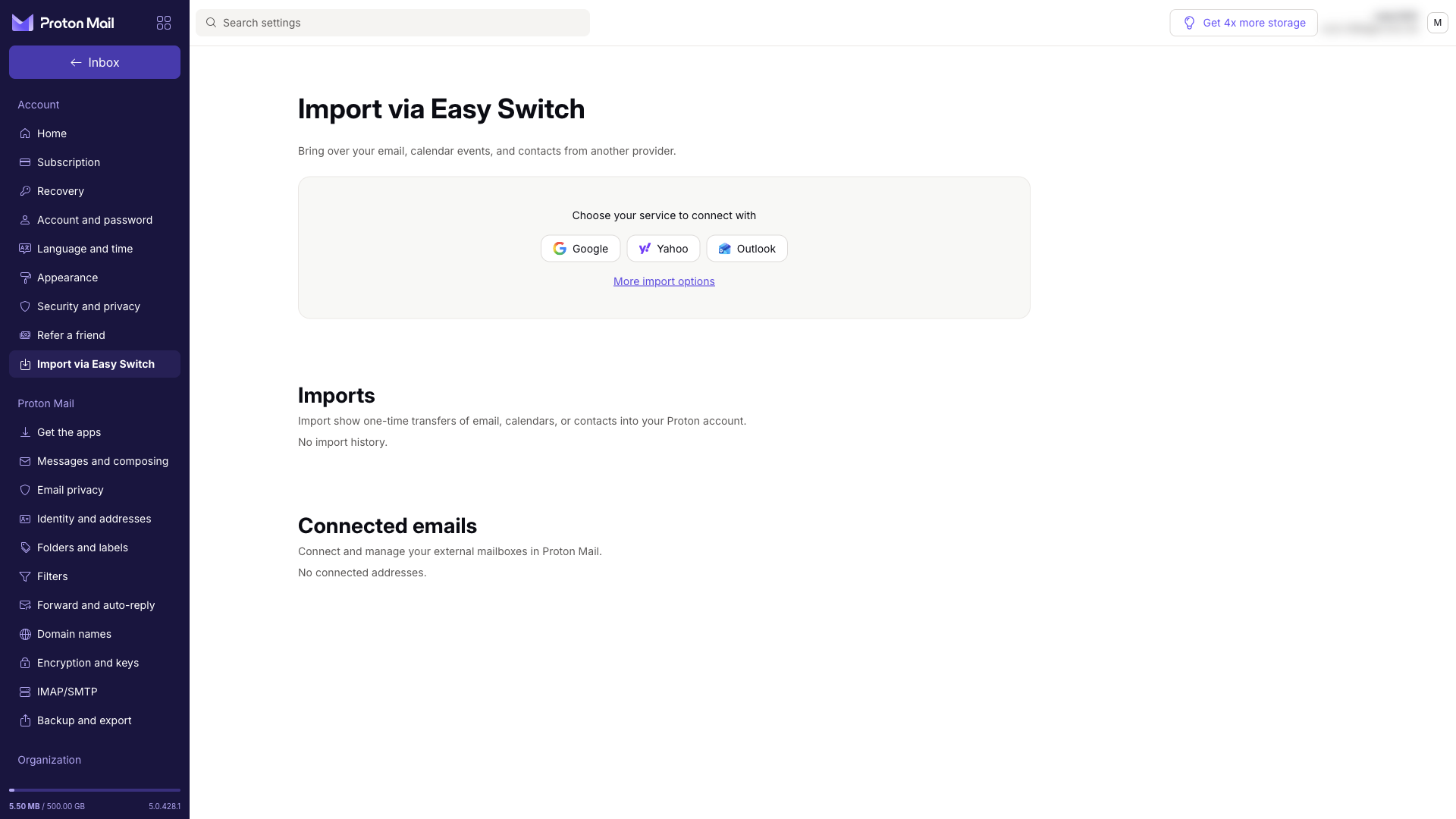
The biggest obstacle to changing email providers is usually an old inbox full of messages and contacts. Proton’s answer is Easy Switch. In the settings you pick Google, Yahoo or Outlook, sign in, and Proton moves your emails and, depending on the provider, your contacts and calendar too. From other services you can import mail over IMAP.
With Gmail, the move doesn’t have to happen overnight. You can connect your Gmail account to Proton Mail so that new mail sent to your old address keeps arriving, and you can even reply from it. Meanwhile you gradually update your contacts to the new address, and nothing slips through the cracks.
Apps and the Proton ecosystem
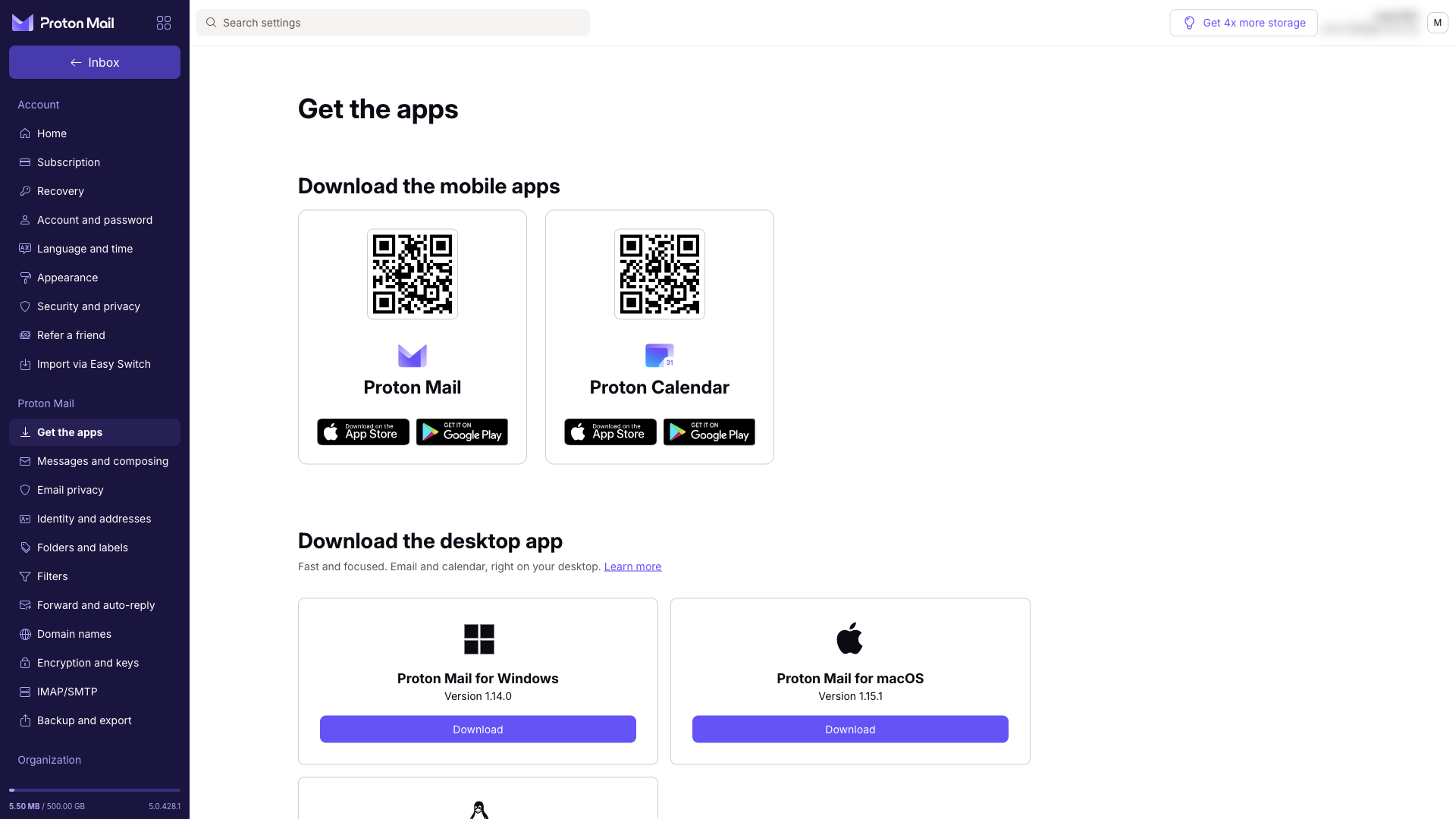
Proton Mail works in a web browser, has mobile apps for Android and iOS and desktop apps for Windows, macOS and Linux. The desktop app is part of the paid plans; free users can try it for 14 days.
If you prefer Outlook, Thunderbird or Apple Mail, you can use Proton Mail Bridge. It runs in the background on your computer and makes your encrypted inbox available to a regular email client over IMAP and SMTP. Bridge is only available on paid plans.
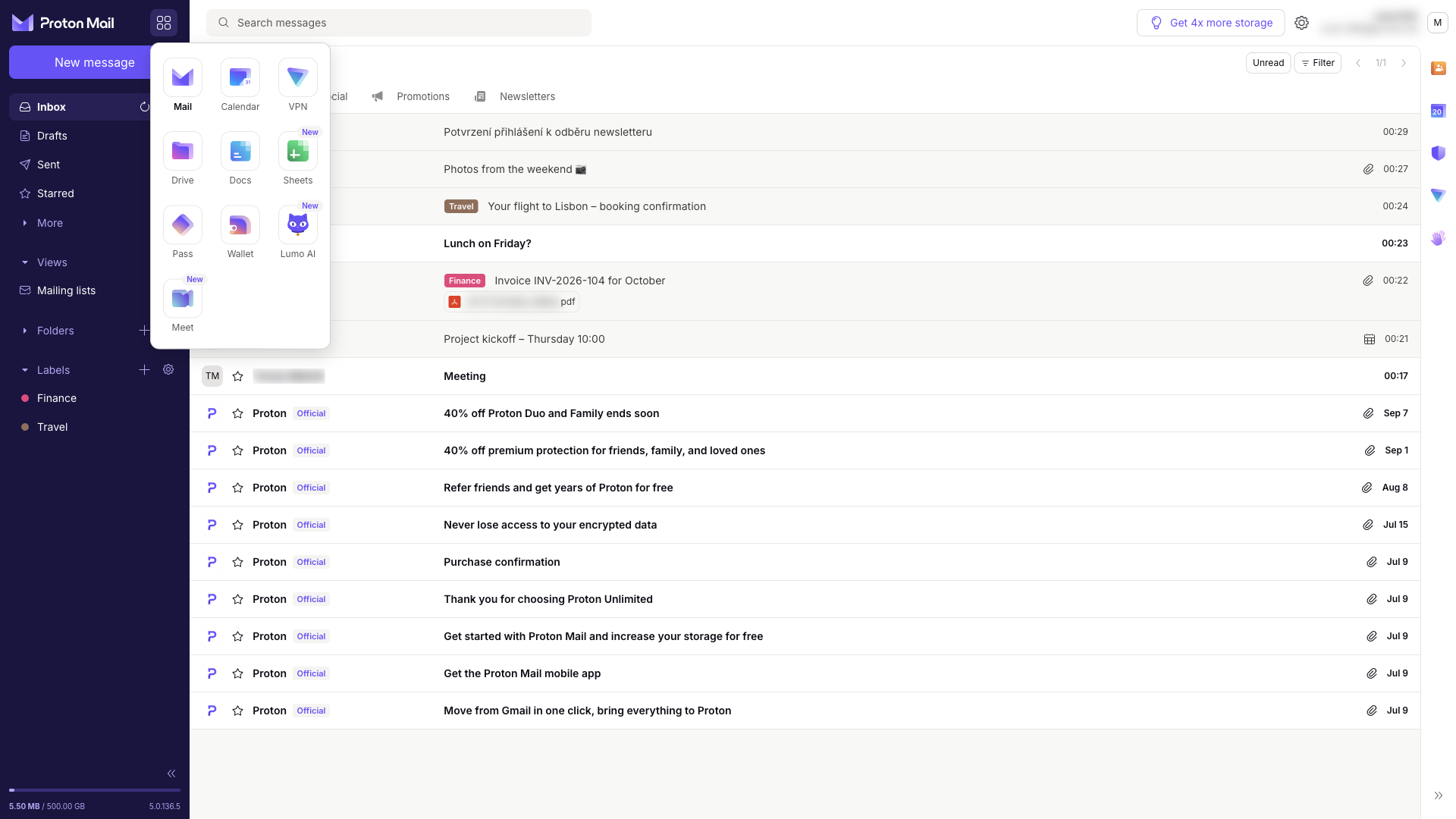
A big advantage is that Proton Mail is not a standalone service. The app switcher takes you to Calendar, Proton Drive, Docs, Pass, VPN and the Lumo AI assistant in one click, all under one account. Proton Unlimited includes the paid versions of all of them. We cover them in more detail in our Proton Drive and Proton VPN reviews.
Pricing
Proton Mail has a usable free plan and two main paid plans for individuals. Prices with annual billing as of 20 October 2026 (EUR and USD use the same numbers):
| Plan | Price | What you get |
|---|---|---|
| Proton Free | free | up to 1 GB, 1 address, 150 sent messages a day, 3 folders and 3 labels, 10 aliases |
| Mail Plus | 3.99 / month | 15 GB, 10 addresses, 1 custom domain, unlimited folders and labels, 10 aliases, Bridge, desktop app |
| Proton Unlimited | 9.99 / month | 500 GB, 15 addresses, 3 custom domains, unlimited aliases + Pass Plus, VPN Plus and Drive |
With annual billing, Mail Plus comes to €47.88 a year; billed monthly it costs €4.99 a month. Proton Unlimited costs €119.88 a year, or €12.99 billed monthly. Proton offers a 30-day money-back guarantee. For households there are the Duo plan for two people and the Family plan for up to 6.
One thing to note about the free plan’s storage: a new inbox starts at 500 MB and grows to 1 GB once you complete a few simple account setup steps.
Which plan makes sense? The free plan is enough for personal mail if you don’t receive large attachments. Mail Plus is worth it if you want a custom domain, more space, Outlook or Thunderbird via Bridge, and unlimited folders. Proton Unlimited makes sense if you are also considering a VPN, a password manager or cloud storage; paying for them separately would cost more.

Who is Proton Mail for
- Anyone who wants a private alternative to Gmail without giving up convenience.
- People who send sensitive information, such as contracts, documents or health records, and will appreciate password-protected messages.
- Freelancers and small businesses that want email on their own domain with encryption and a provider based outside the US.
- Existing Proton users, because Mail shares one account with Pass, VPN and Drive and is included in Proton Unlimited.
For larger companies, Proton offers separate Mail for Business plans. This review focuses on the plans for individuals.
What we like
- ✅ Zero-access encryption for all mail, plus end-to-end encryption between Proton users
- ✅ Tracker blocking, an image proxy and phishing protection
- ✅ Password-protected email even for recipients outside Proton
- ✅ Modern inbox with categories, labels, scheduled send and undo send
- ✅ Easy migration with Easy Switch, including a live Gmail connection
- ✅ A whole ecosystem (Calendar, Drive, Pass, VPN) under one account
Things to consider
- The free plan is limited to 150 sent messages a day, 1 GB at most and only 3 folders and 3 labels.
- Bridge for Outlook and Thunderbird and the full desktop app are only available on paid plans.
- Because of encryption, searching message content has to be enabled first. The index is built in your browser, separately for each browser.
- People outside Proton receive encrypted mail via a password; regular email is «only» encrypted at rest. The subject line is not end-to-end encrypted.
- Even a Swiss company is not above the law. In 2021, Proton was legally compelled by Swiss authorities to log the IP address of a French activist. The content of the messages stayed encrypted. If you want to hide your IP address from anyone, connect to your mail through a VPN, and if you need to hide who sent a message altogether, see how to send anonymous email.
- The Proton Scribe assistant is not included in Mail Plus or Proton Unlimited.
Verdict
Proton Mail is the best choice for anyone who cares about privacy and doesn’t want to compromise on convenience. Encryption works on its own, the inbox is well organised, newsletter trackers don’t stand a chance and you can move over from Gmail in an afternoon. Behind it all is a company owned by a non-profit foundation that earns its money from subscriptions, not from your data.
The free plan is a good start for personal mail. If you want a custom domain, more space or a classic email client, Mail Plus is reasonably priced. And if you are also considering a VPN, a password manager or cloud storage, go straight for Proton Unlimited. Looking for a password manager as well? See our 1Password vs Proton Pass vs Bitwarden comparison.